
Free · no account · on your phone
Video captions — free and right on your phone
Film a take, tap “Add captions”. The phone recognizes the speech itself, you fix the words it misheard, pick a font and a color — and the captioned video is already in Photos. Nothing leaves the phone.
- no subscription, no account — part of the free camera
- $0
- no subscription, no account — part of the free camera
- fonts, colors and looks: outline, plain, box
- 6 · 7 · 3
- fonts, colors and looks: outline, plain, box
- recognized on the phone, no internet needed
- ru · en
- recognized on the phone, no internet needed
- with your agency — via the server, about 1 cent per video
- + uz · ky · kk
- with your agency — via the server, about 1 cent per video
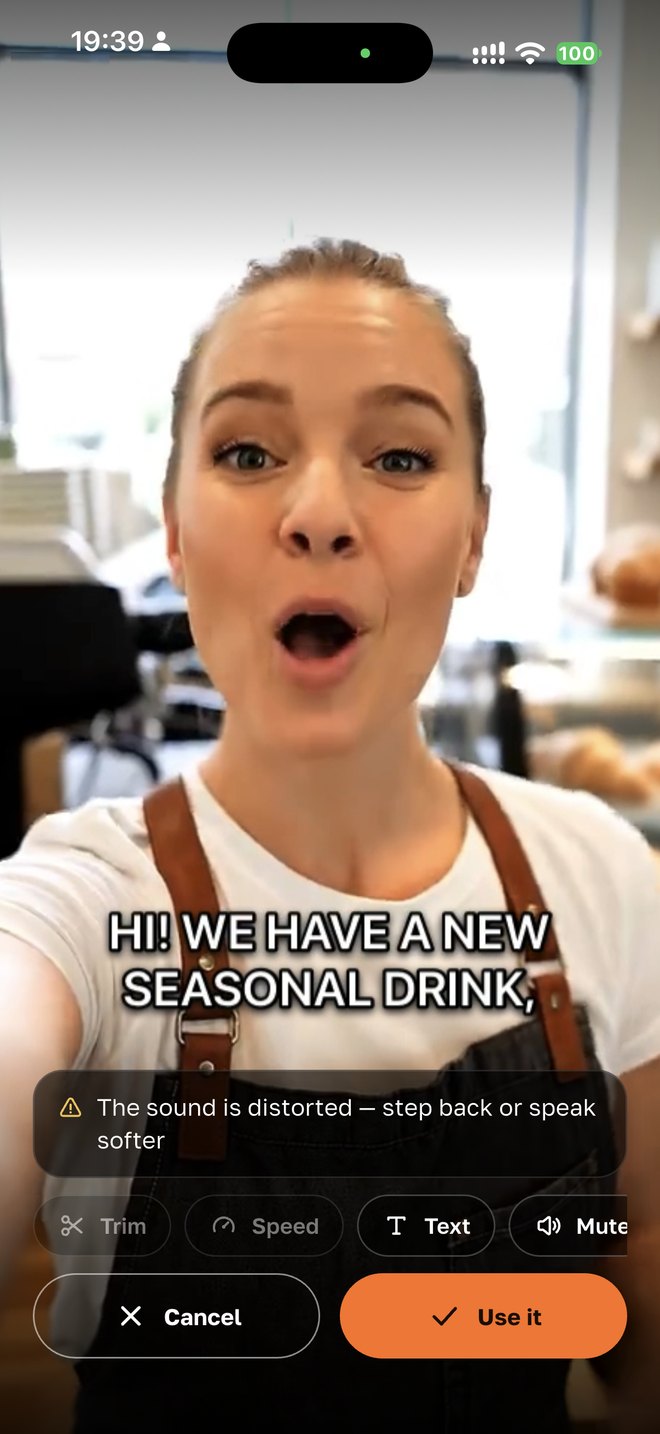
How it works
01
Film a take or open an existing video
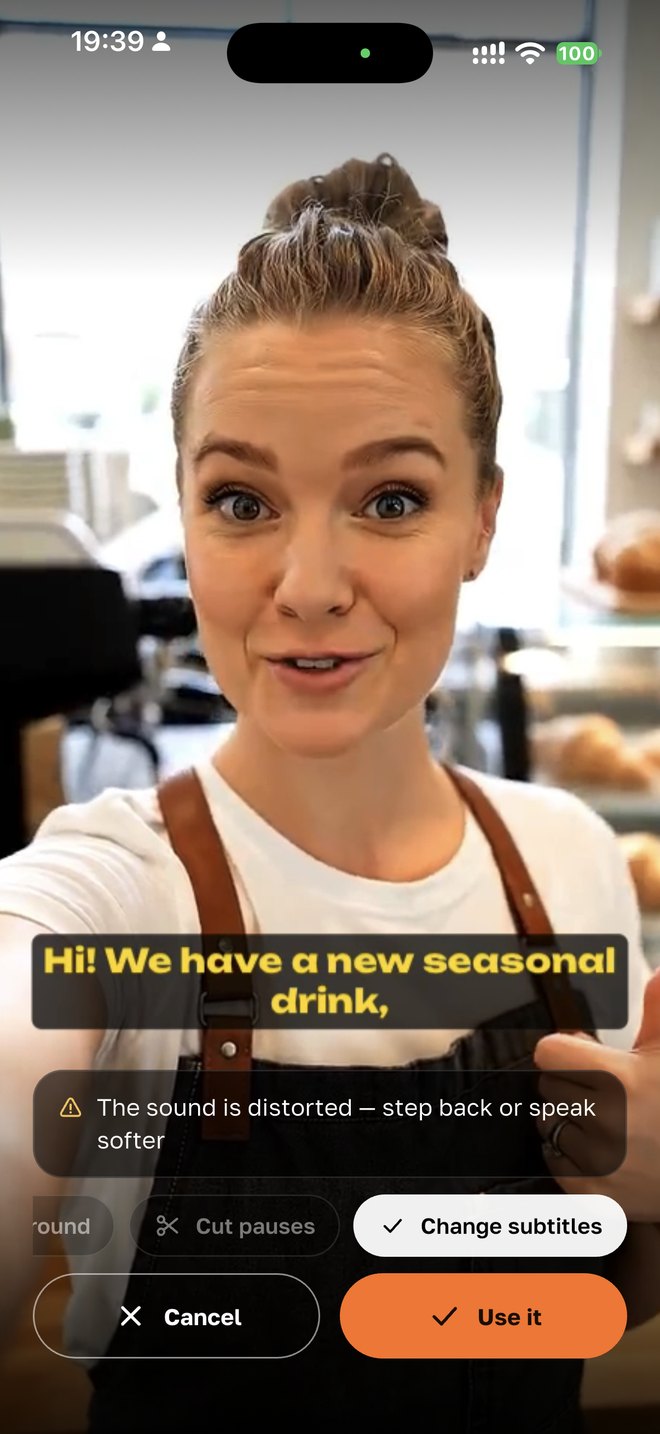
Captions work on any video: one you just filmed in the app’s camera, one picked from the phone’s gallery or one from “Filmed in the app”. The “Add captions” button sits on the take-review screen, next to pause trimming and noise reduction.
02
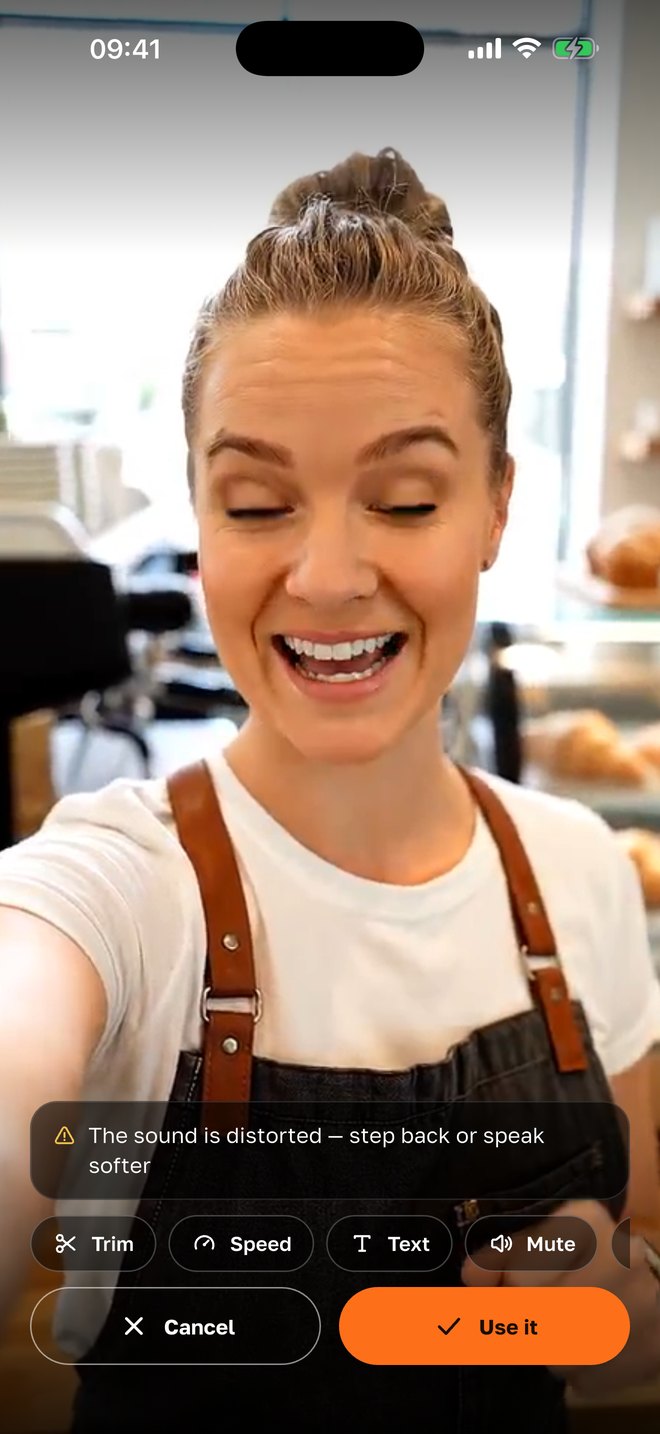
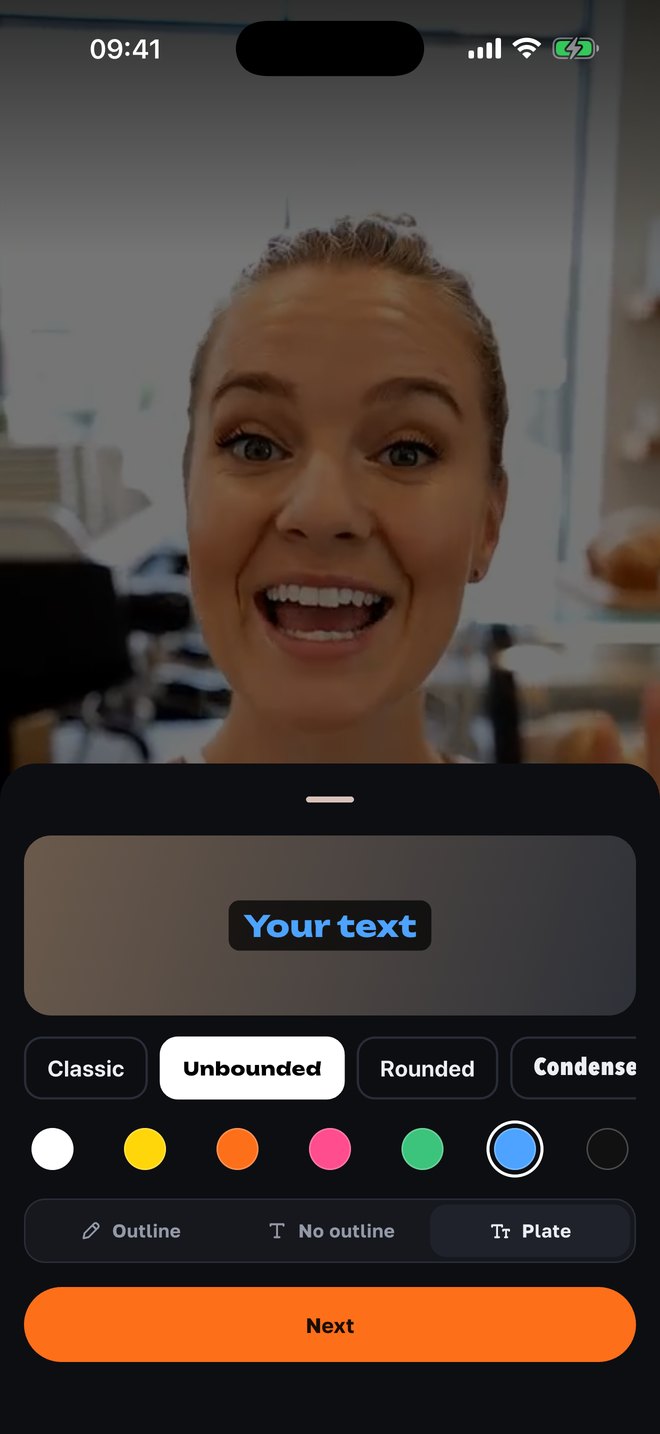
Choose how they look
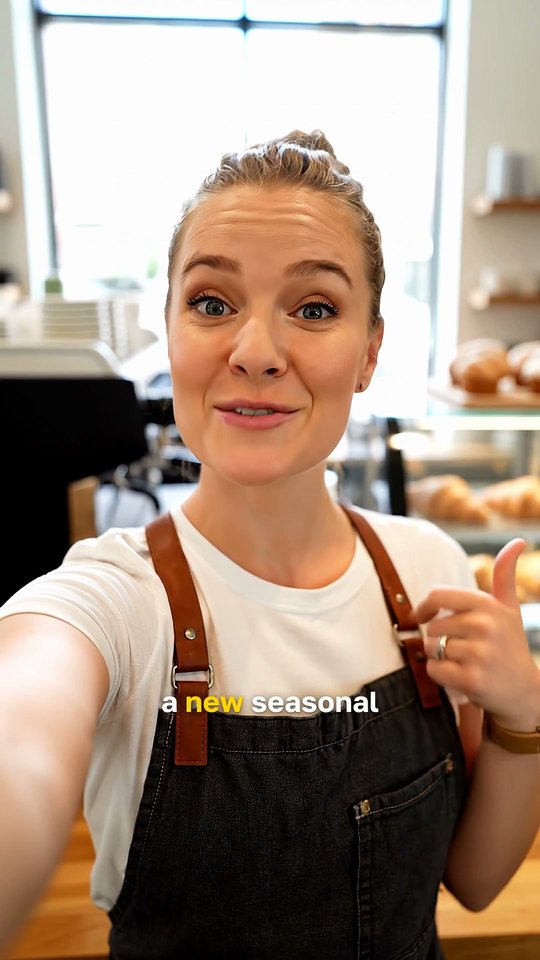
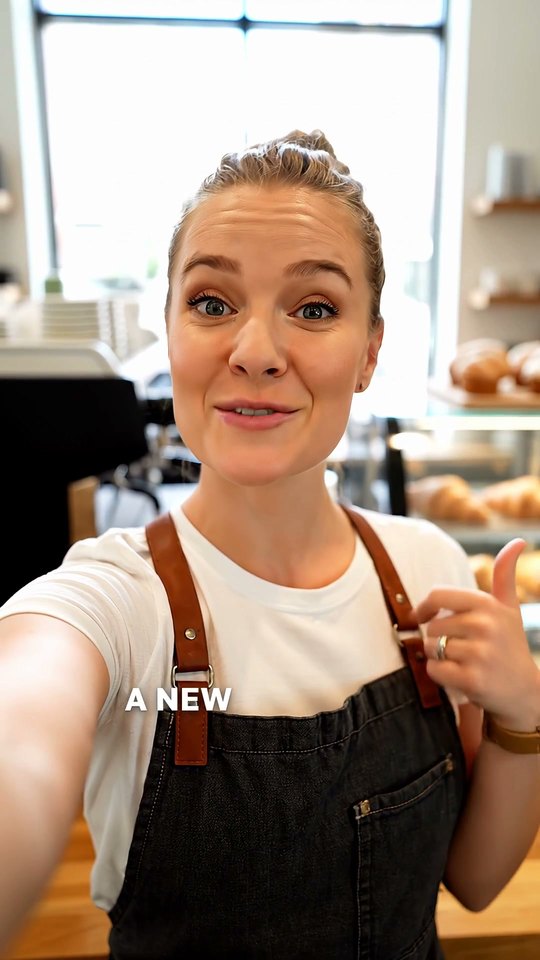
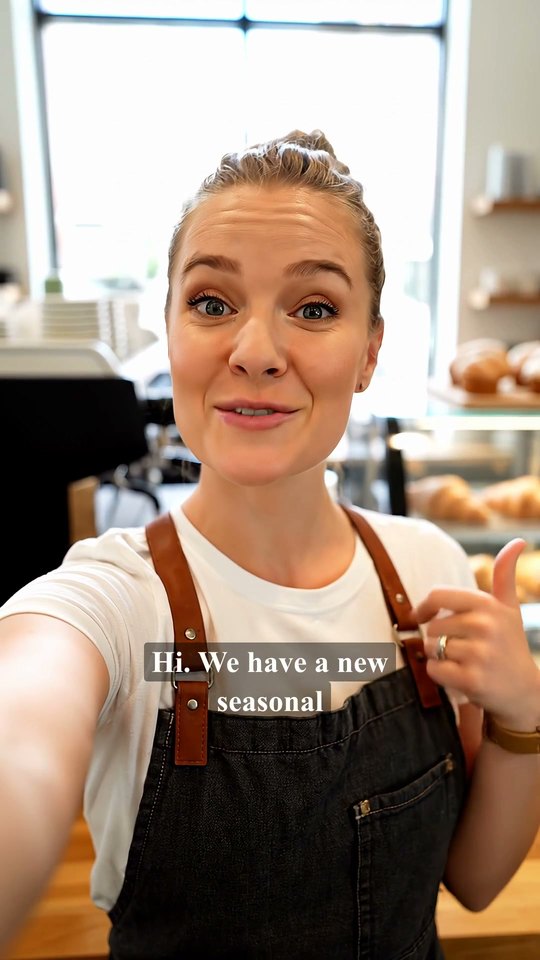
The sample at the top shows how it will look in the video. Six fonts — system, Unbounded, rounded, condensed, serif and mono; seven colors; three looks — uppercase with an outline, uppercase with a shadow, and regular text on a box. Your choice is remembered for the next videos.
03
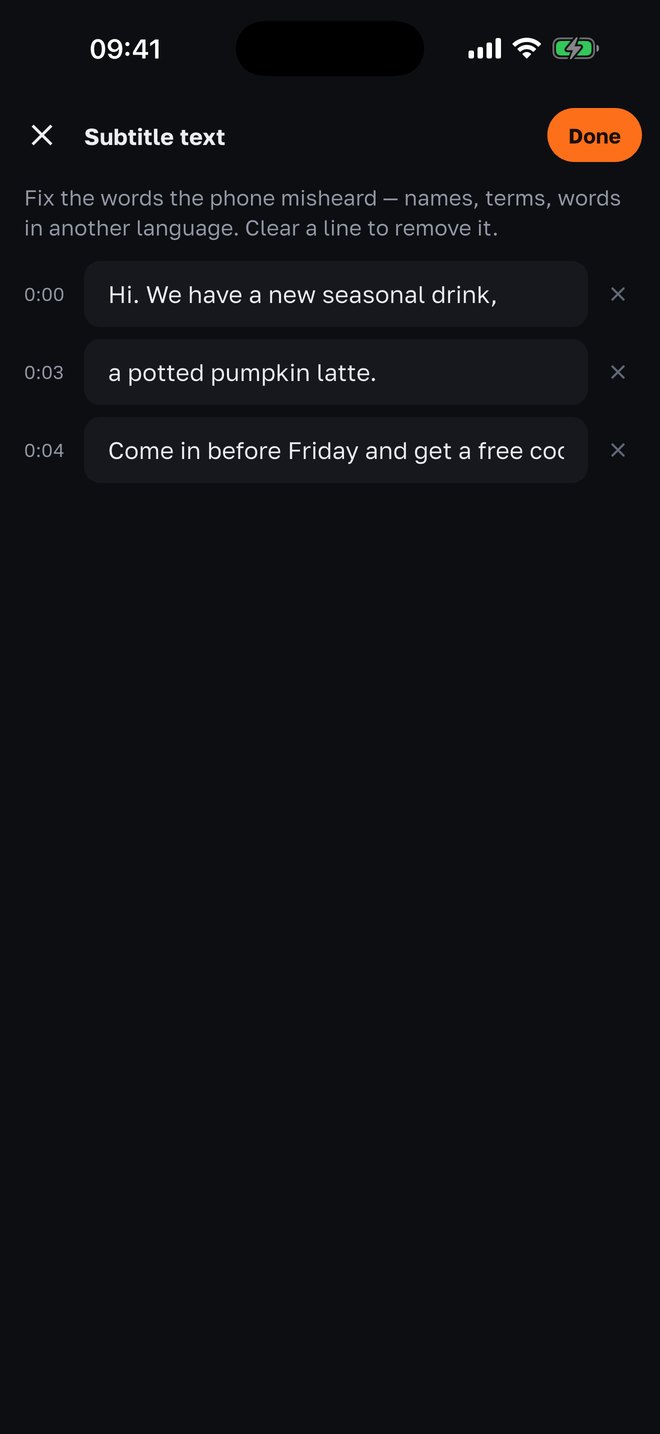
Fix the words the phone misheard
Recognition stumbles on names, terms and fast speech — in the screenshot, “a pumpkin latte” came out as “a potted pumpkin latte”. That is why the text is always shown before burning in the first time: fix a word, or leave a line empty to drop it.
04
Done — the video plays with captions
Captions are burned into the video above the Reels interface zone, so the caption and buttons don’t cover them. “Use it” saves the video to Photos — post it on Instagram, TikTok, Telegram or anywhere else. Don’t like it? “Change captions” applies another style to the same lines.
Why it’s built this way
People watch with the sound off
In the feed a video usually starts muted. Without captions the first line goes unread — and the video gets skipped. Captions are the cheapest edit that visibly lifts watch-through.
Nothing leaves the phone
Speech is recognized on the iPhone itself, without sending the video to a server. No account and no internet needed — only the speech-recognition permission in Settings.
Text is edited before burning in
Other apps burn in auto-captions as heard, and the viewer sees the typo in your brand name first. Here the lines are listed with timestamps — fixing one takes a few seconds.
Like Instagram text, not a movie track
Big uppercase letters with an outline or on a box, one or two lines, fonts with character. These are captions for Reels, not a subtitle track for a film.
Above the Reels interface
The bottom of the frame on Instagram is covered by the caption and buttons. Captions are placed above that zone, so they stay visible in the feed and on the Home screen.
One app for the whole shoot
Captions live next to the teleprompter, shot lists, take check, pause trimming and noise reduction — film and finish the video without leaving the camera.
With your agency
Captions in Uzbek, Kyrgyz and Kazakh
On the phone, Russian and English are recognized — that is the limit of on-device speech recognition in iOS. If your agency runs your project on SMMCopilot, tap “Captions” on any video in Assets: the server recognizes the speech and the finished Reel appears in Tasks.
- Five spoken languages
- Russian, Uzbek, Kyrgyz, Kazakh and English — the languages where ordinary apps make the most mistakes.
- Measured, not promised
- Tested on Google’s FLEURS set, word error rate: Uzbek 19%, Kyrgyz 12%, Kazakh 6%. Whisper doesn’t recognize Uzbek or Kyrgyz at all.
- Three looks
- “Pills” — the word lights up as it is spoken; “Kinetic” — big, one or two words at a time; “Editorial” — a calm line on a backdrop.
- About 1 cent per video
- Charged from the project’s credits. The finished video can be approved, downloaded or scheduled right away.
Questions
- Is it really free?
- Yes. On-phone captions are part of the free SMMCopilot camera: no account, no subscription, no limit on the number of videos. Only server captions in Uzbek, Kyrgyz and Kazakh are paid — about 1 cent per video from the agency’s credits.
- Which languages does it understand?
- On the phone — Russian and English: that’s what on-device speech recognition in iOS supports. With your agency via the server — also Uzbek, Kyrgyz and Kazakh.
- Do I need internet?
- Not for on-phone captions: speech is recognized and burned in on the iPhone itself. Internet is needed only for server captions with your agency.
- Can I fix the text?
- Yes. The first time, the lines are always shown with timestamps before burning in; later — via “Edit text”. An empty line removes the cue.
- Can I change the style of captions I already added?
- Yes: “Change captions” applies another font, color or look to the same lines — no need to recognize the speech again.
- Where is the video saved?
- On the phone — to Photos and to “Filmed in the app”. A server-captioned video appears in the project’s Tasks: download it or send it for approval.
- Is there an Android version?
- Not yet — iPhone first. Android is next.
Nearby in the app
Film a captioned video today
The camera with captions is free and needs no account. With your agency — editing, approval and publishing are done for you too.