
The camera that coaches your shoot
Free for iPhone. It tells you what to film and what to say, keeps the frame right and checks every take — so the footage you send your agency is usable the first time.
How it works
01
A shot list for your business
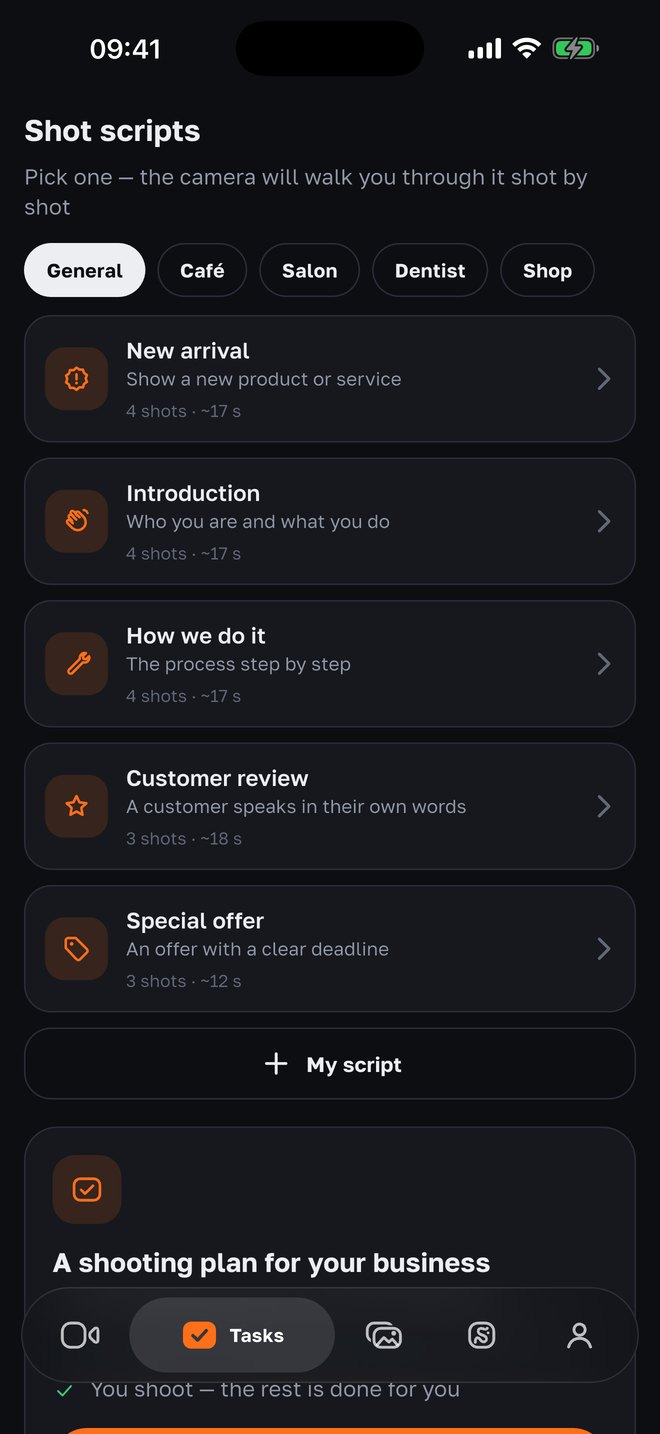
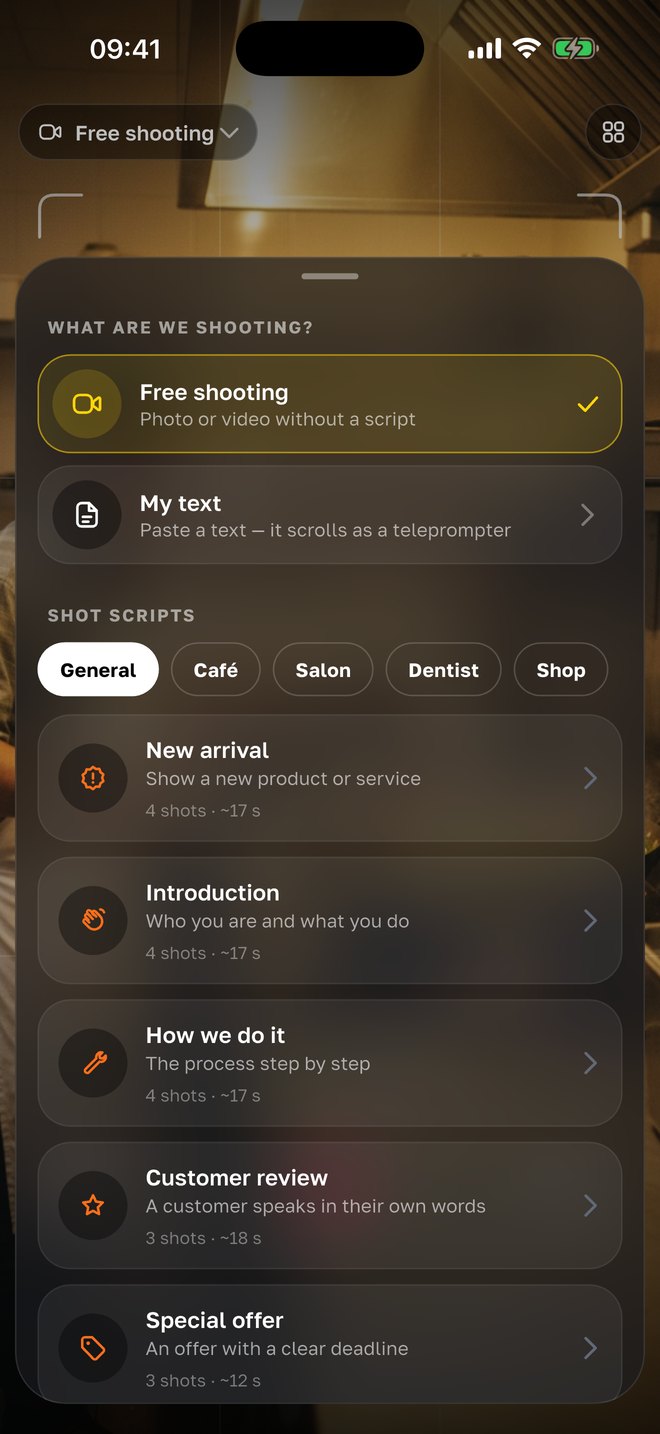
Café, salon, clinic or shop — pick what you’re filming: “New arrival”, “Introduction”, “How we do it”, “Customer review”, “Special offer”. Or write your own.
02
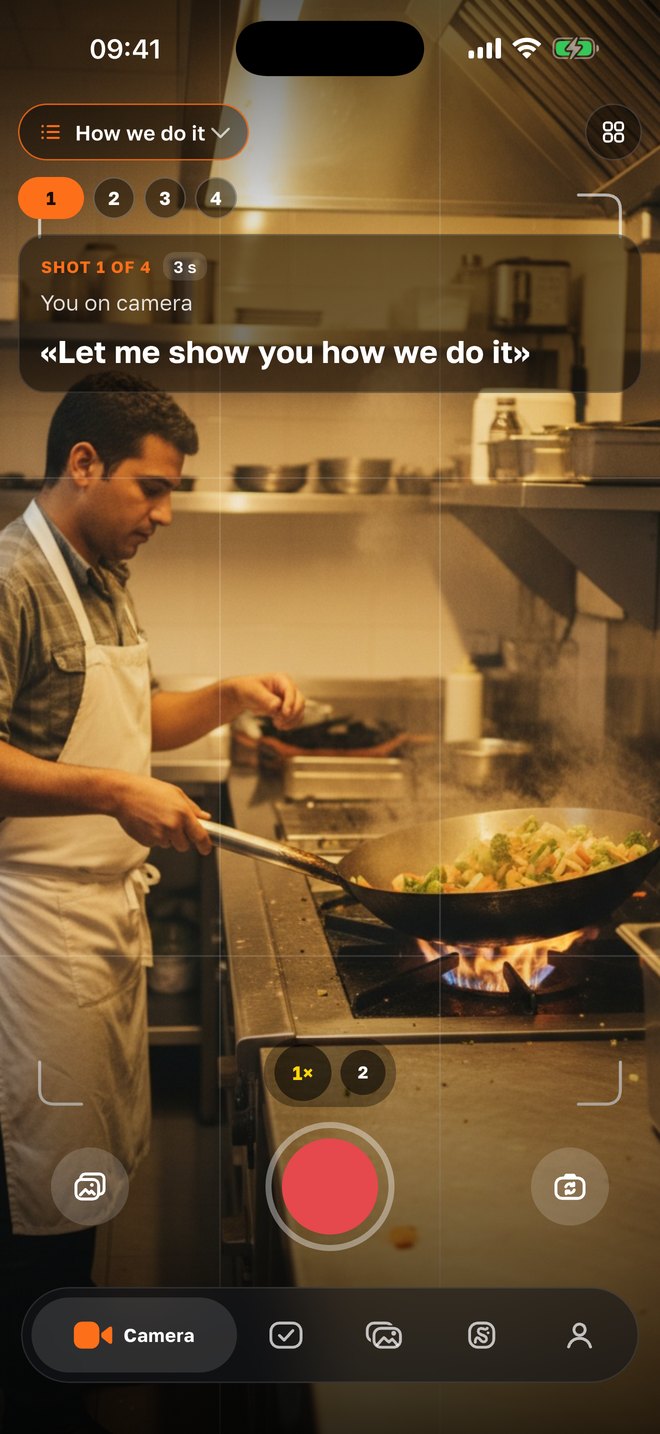
The camera walks you through every shot
On screen: shot 1 of 4, the line to say and how many seconds to film. The frame coach tips you on light and distance, poses are drawn right over the person, and each take is checked the moment you stop.
03
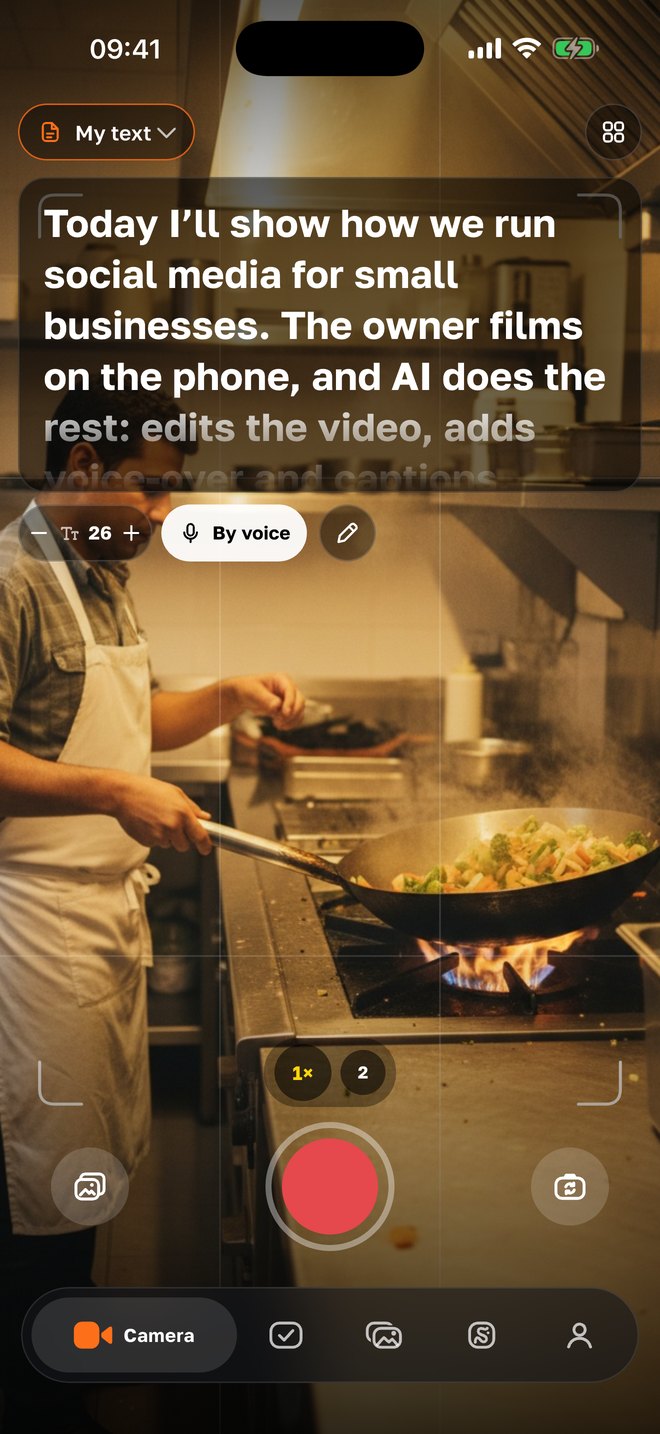
A teleprompter that listens
The text scrolls while you talk and waits when you pause. Write it yourself or ask the AI: a topic, 30 seconds — done.
04
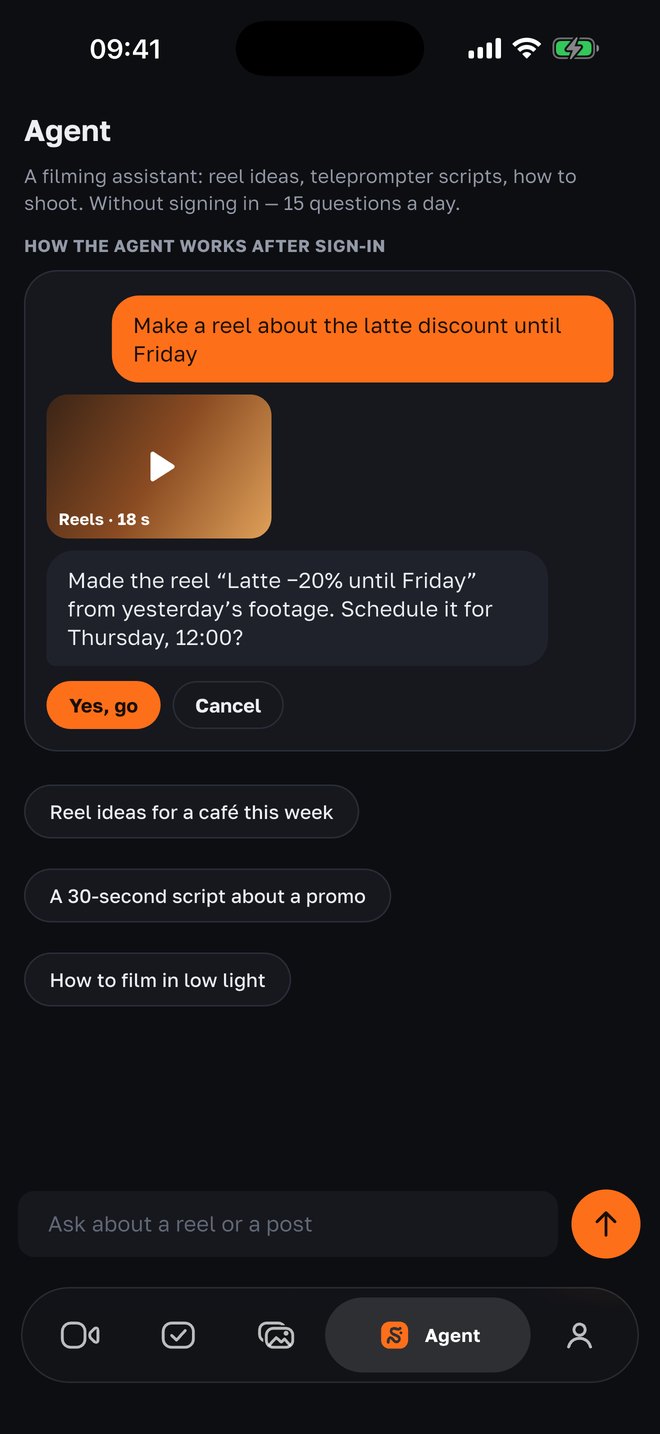
The agent in chat
Just ask: “make a Reel about the latte discount until Friday” — the agent builds it from your footage and asks when to post. Without an account it suggests ideas and writes teleprompter text.
Works without an account
Everything here runs on the phone. Nothing is sent anywhere until you choose to share it.
Shot lists for your business
Ready-made scenarios for cafés, salons, clinics and shops: each shot with what to film, what to say and how many seconds. Or write your own.
Learn moreA teleprompter that listens
The text scrolls as you speak and waits when you pause (English and Russian). Long scripts get a classic scrolling teleprompter.
Learn moreFrame coach
Live hints while you film: more light, step back, keep your head in frame, level the phone. One hint at a time, never a wall of warnings.
Learn morePose hints
The app sees the person in the frame and draws a pose right over them — standing, sitting or leaning, for photos and video.
Learn moreTake check
Right after you stop: too quiet, too dark, face out of frame, line not finished. Fix it while you are still on the spot.
Learn moreCaptions on the phone
Burn subtitles into the video in several styles, edit the text before saving.
Learn moreTrim pauses
One tap removes long silences and “um”s from a talking take.
Learn moreClean sound
Noise reduction for voice, so the street or the coffee machine doesn’t drown you out.
Learn moreLook and format
Background blur, filters, 9:16, 4:5, 1:1 and 16:9, landscape shooting, speed ×0.5 and ×2, text on video.
Learn morePro controls when you need them
4K and 60 fps, stabilization, focus and exposure lock, 0.5× lens, front and back cameras at once.
Hands-free start
Say “action” and the recording starts — no running back to the phone.
Straight to your gallery
Takes are saved to Photos and to a recent-takes list in the app. Post them anywhere.
With your agency
If your agency runs your social media with SMMCopilot, sign in with the email they added to your project.
What to film this week
Each post comes with its own shot list — the words to say and the seconds per shot. Tap a task and the camera opens on it.
Learn moreYour footage in one place
Photos and videos sorted by month and in folders: people, products, process, screenshots and more.
Learn moreSearch by what you said
“Where did I talk about prices?” — find the video and jump to that second.
Learn moreHighlights from a long video
Send a 10-minute talk; the AI finds the strongest moments and builds separate Reels with your voice and captions.
Learn moreSubtitles in your language
Subtitles in Russian, Uzbek, Kyrgyz and Kazakh — the languages phone apps usually get wrong.
Approve in a tap
OK, edits in plain words or reject. Pick when it goes out, download the finished files.
Learn moreAn AI assistant in chat
Move a post, attach your photos and ask for a carousel, have a script written for the teleprompter.
Learn moreThe weekly report
What went out and how it did — in one screen, every week.
Your data
The camera works on your phone without an account. When you sign in, your footage goes only to your project and your agency. You can delete your account in the app: Project → Delete account.
Questions
- Is it free?
- Yes. The camera is free. Agency features come with your agency’s SMMCopilot plan.
- Is there an Android version?
- Not yet — iPhone first. Android is next.
- Which languages?
- The app speaks English, Russian and Uzbek. Captions and search understand Russian, Uzbek, Kyrgyz, Kazakh and English.
- Who sees my videos?
- Without an account — nobody, they stay on your phone. Signed in — you and your agency’s team.
Film your first Reel today
The camera is free, no account needed. With your agency — editing, approval and publishing are done for you too.