
Free · no account · on your phone
A teleprompter that listens: the text follows your voice
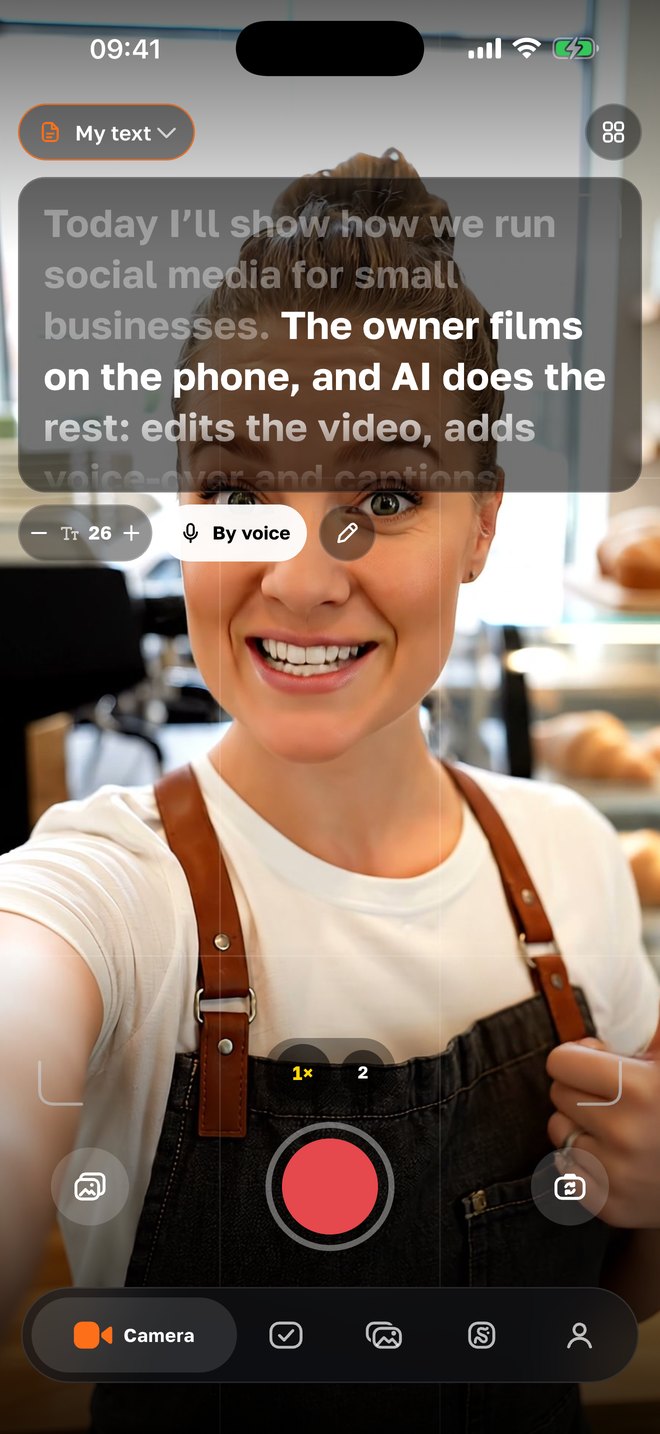
Paste a script or let the AI write one — and talk to the camera. The phone recognizes speech on the device and shows where you are: spoken words fade, when you pause the text waits. No scrolling with your thumb, no “I couldn’t keep up”.
- teleprompter, timer and shot lists — part of the free camera
- $0
- teleprompter, timer and shot lists — part of the free camera
- voice-following — on-device recognition, no internet
- en · ru
- voice-following — on-device recognition, no internet
- text size; long scripts scroll line by line next to the lens
- 18–40
- text size; long scripts scroll line by line next to the lens
- “Text with AI” on a topic — with your agency, about a cent
- 15 · 30 · 60 · 90 s
- “Text with AI” on a topic — with your agency, about a cent
How it works
01
Choose what to say
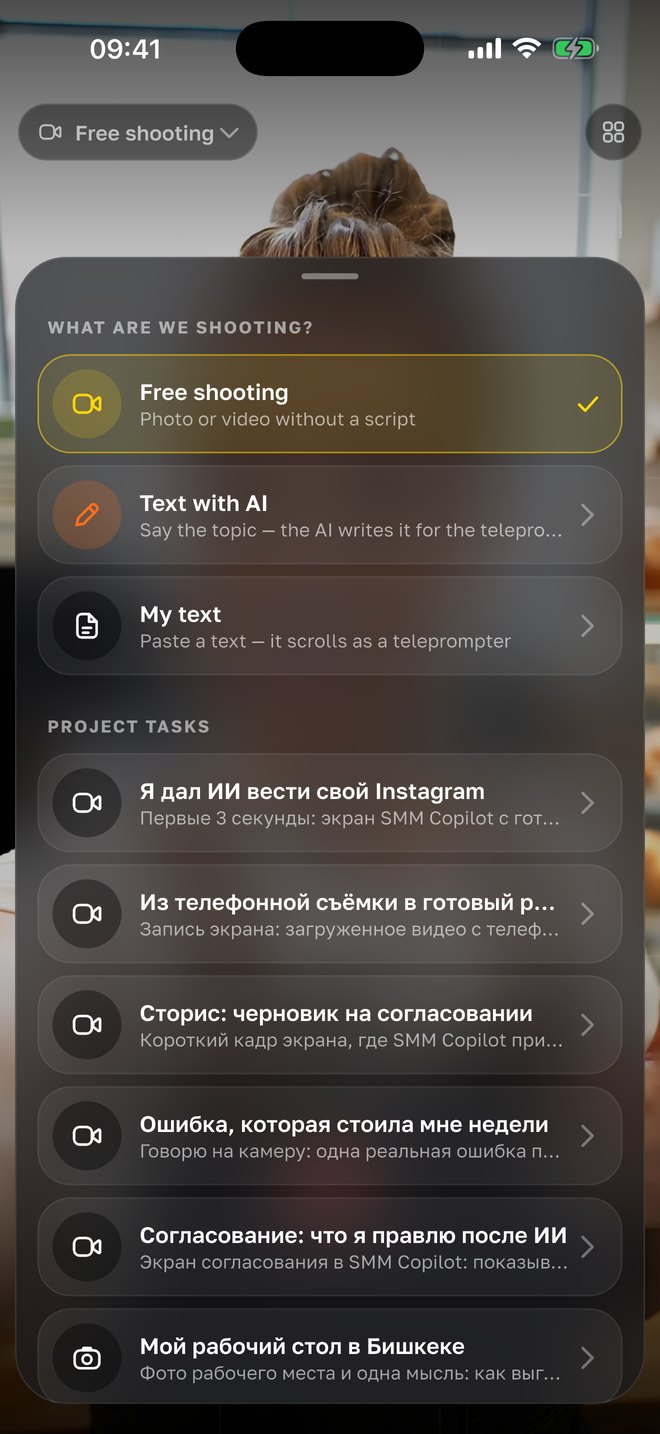
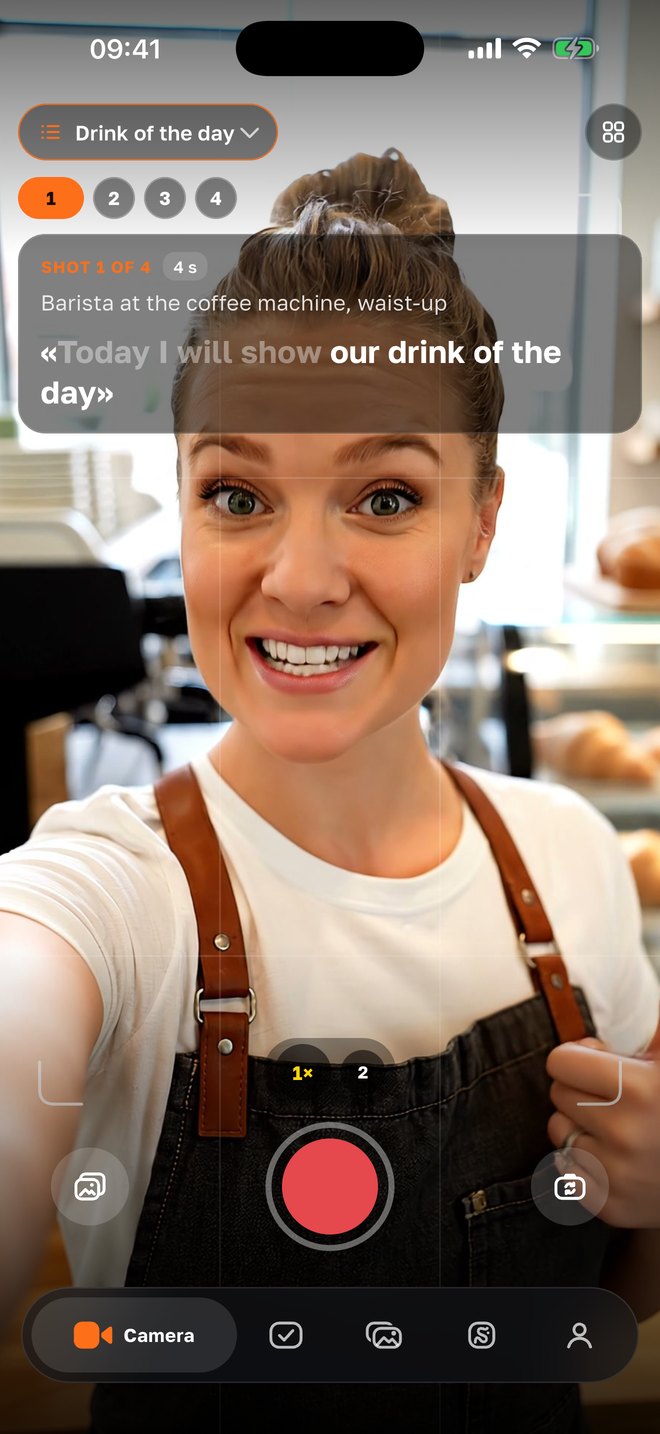
In the camera tap “What are we shooting?”. Ready-made shot lists already contain a line for each shot — “Today I will show our drink of the day”. “My text” — paste or type anything. “Text with AI” — tell the topic and the text is written for you (inside an agency project).
02
Tell the topic — type it or say it
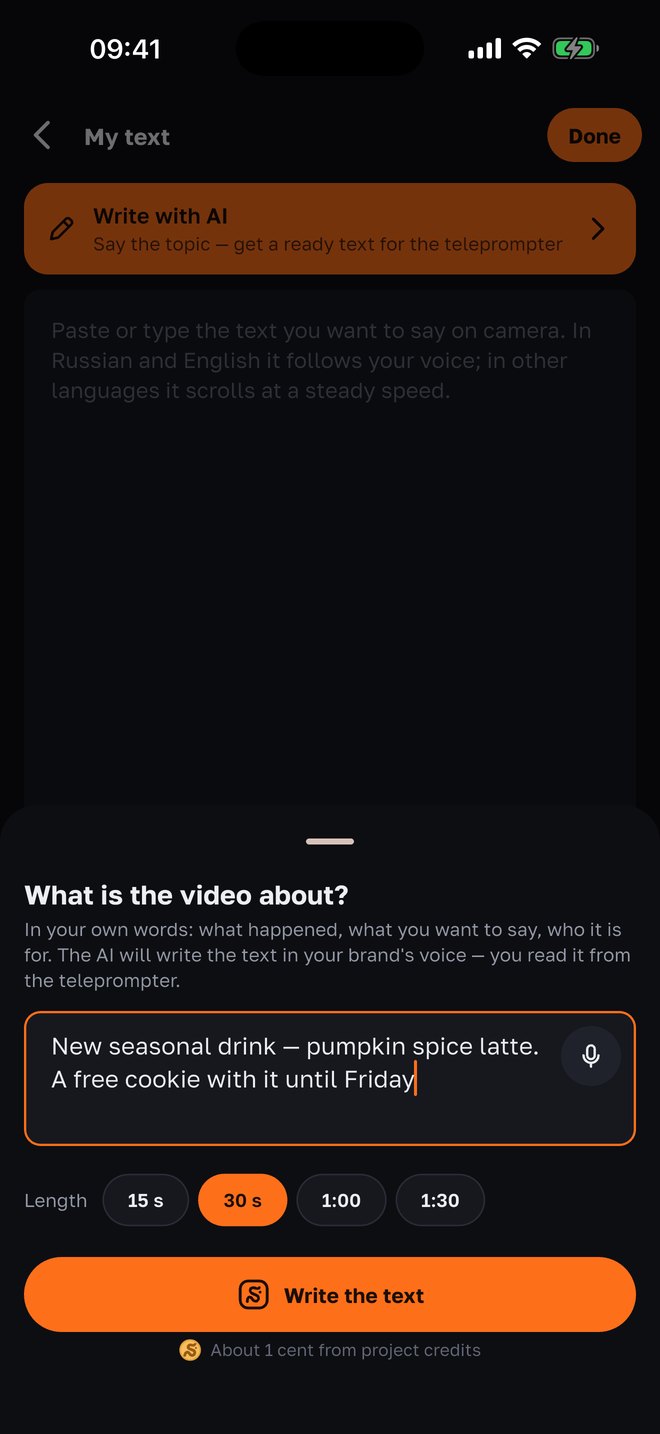
“What is the video about?” — what happened, what you want to say and to whom: “new seasonal drink, a free cookie with it until Friday”. You can dictate the topic. Pick the length — 15, 30, 60 or 90 seconds — and tap “Write the text”.
03
Adjust with one tap
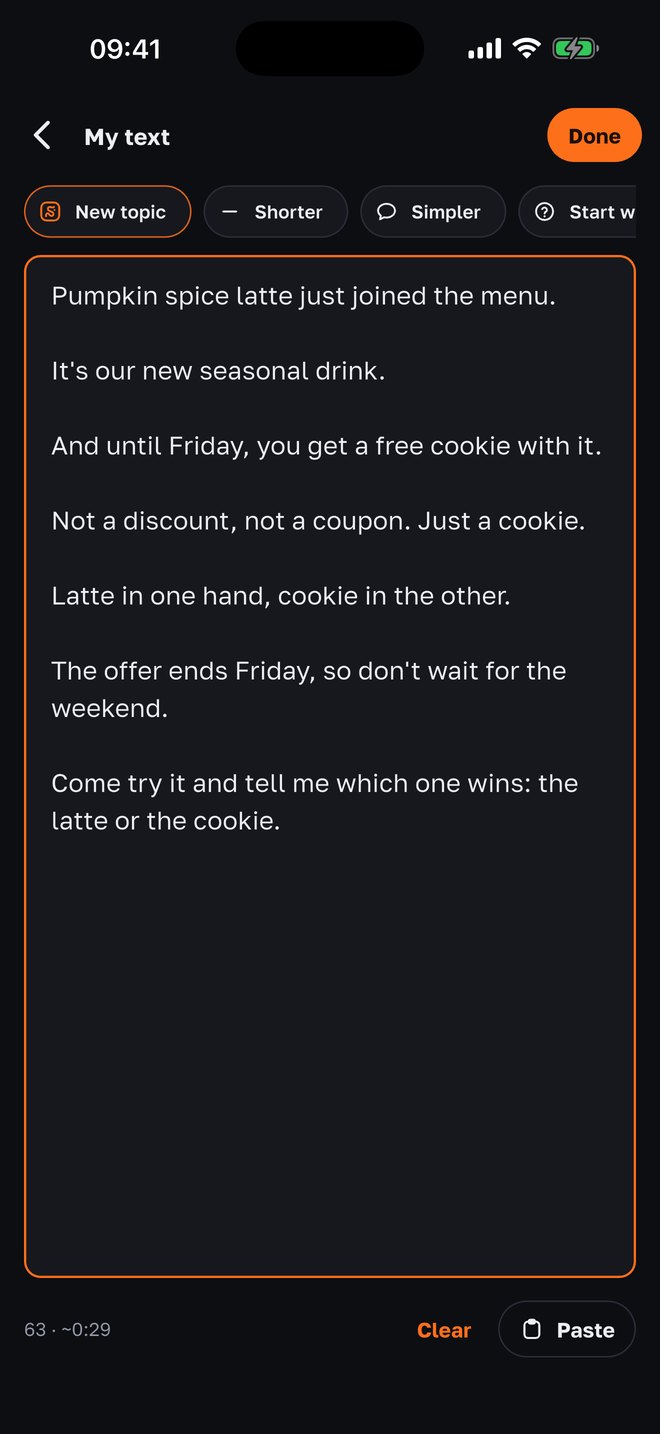
The AI writes in the first person, in your brand’s voice, only from the facts in your brief and your own words — no invented prices or dates. Under the text: how many words and how many seconds of speech. Not quite it? “Shorter”, “Simpler”, “Start with a question” or “New topic”. You can also edit by hand.
04
Speak — the text follows you
Press record — the phone listens and fades the words you have said. A short shot-list line stays fully visible; a long script scrolls line by line next to the lens: the reading line stays at the top of the screen, so your eyes stay close to the camera. Skipped a word or rephrased — the prompter catches up; it never goes back.
Why it is built this way
The text waits for you, not the other way round
A regular teleprompter scrolls at a constant speed: stumble and it runs away, pause to think and it is gone. Here your voice sets the pace. Stop — the text stands still; continue — it moves.
Eyes at the lens
The reading line stays at the top edge of the screen, right next to the front camera. The viewer sees a person talking to them, not someone reading from the bottom of a screen.
Speech is recognized on the phone
Recognition is built into iOS — no audio is sent to a server, no internet needed. That is why the voice-following mode works in English and Russian, the languages the phone recognizes on its own. In other languages the text scrolls at the speed you choose.
A check after “stop”
If the prompter heard less than 70 % of the line, the take check says “the line wasn’t finished” — reshoot while you are still on the spot, not at home in the editor.
A shot list instead of a blank page
Shot lists for cafés, salons, clinics and shops: each shot says what to film, what to say and for how many seconds. The shot’s line becomes the prompter text by itself.
Hands-free start
Say “action” — recording starts by itself. Put the phone down, step into the frame and speak from the prompter without coming back to the screen.
With your agency
The AI writes the script — in your brand’s voice
If an agency runs your project through SMMCopilot, “Text with AI” appears in the camera: a topic in your own words or by voice, a length in seconds — and a ready teleprompter script. It knows the project brief — tone, products, prices, no-gos — and does not write what the brief doesn’t say.
- Tone and facts from the brief
- First person, in the brand’s manner: prices, dates and promises come only from the brief and your words — nothing invented.
- Timed to the second
- About 2.2 words per second: a 30-second video is roughly 65 words. You choose the length upfront — 15, 30, 60 or 90 seconds.
- One-tap edits
- “Shorter”, “Simpler”, “Start with a question” — a new version of the previous text, not from scratch. Not it at all — “New topic”.
- About a cent per script
- Charged from the project’s credits. Without signing in, the assistant in the “Agent” tab writes teleprompter text — 15 questions a day for free, with an “Open in camera” button.
Questions
- Is it really free?
- Yes. The teleprompter, timer, shot lists and take check are part of the free SMMCopilot camera — no account, no subscription. Only “Text with AI” inside an agency project is paid — about a cent per script from the project’s credits.
- In which languages does the text follow my voice?
- English and Russian — the languages the iPhone recognizes on its own without internet. In Uzbek, Kyrgyz and Kazakh the text scrolls at a constant speed you set before recording, like a classic teleprompter.
- Do I need internet?
- Not for the teleprompter: speech is recognized on the phone itself. Internet is only needed for “Text with AI” and the assistant in the “Agent” tab.
- What if I go off script?
- The prompter looks for your place in the text and can jump a few words ahead if you skipped a word or rephrased. It never goes back. After “stop” the take check warns you if less than 70 % of the line was said.
- Can I paste my own text?
- Yes — “My text”: paste from the clipboard or type. Text size goes from 18 to 40; a long script scrolls line by line next to the lens, a short one stays fully visible.
- How does the AI know what to write about my business?
- From the project brief in SMMCopilot: who you are, how you talk, what you sell and at what prices, what not to promise. That is why “Text with AI” lives inside an agency project; without signing in, the assistant writes a script on the topic you tell it.
- Is there an Android version?
- Not yet — iPhone first. Android is next.
Nearby in the app
Record a video from the teleprompter today
A camera with a teleprompter, shot lists and take check — free, no account. With an agency the AI writes the script, edits the video and publishes it for you.