
Claude · ChatGPT · Telegram
SMMCopilot right inside Claude and ChatGPT
You already talk to AI every day. Connect SMMCopilot to it and the same chat starts running the business’s social media: “make a Reel about morning at the coffee shop”, “what’s ready this week?”, “why did this Reel flop?”. Videos are built on our side from your footage and arrive in the chat ready.
- SMMCopilot tools available to the chat: projects, week, assets, editing, scheduling, results
- 49
- SMMCopilot tools available to the chat: projects, week, assets, editing, scheduling, results
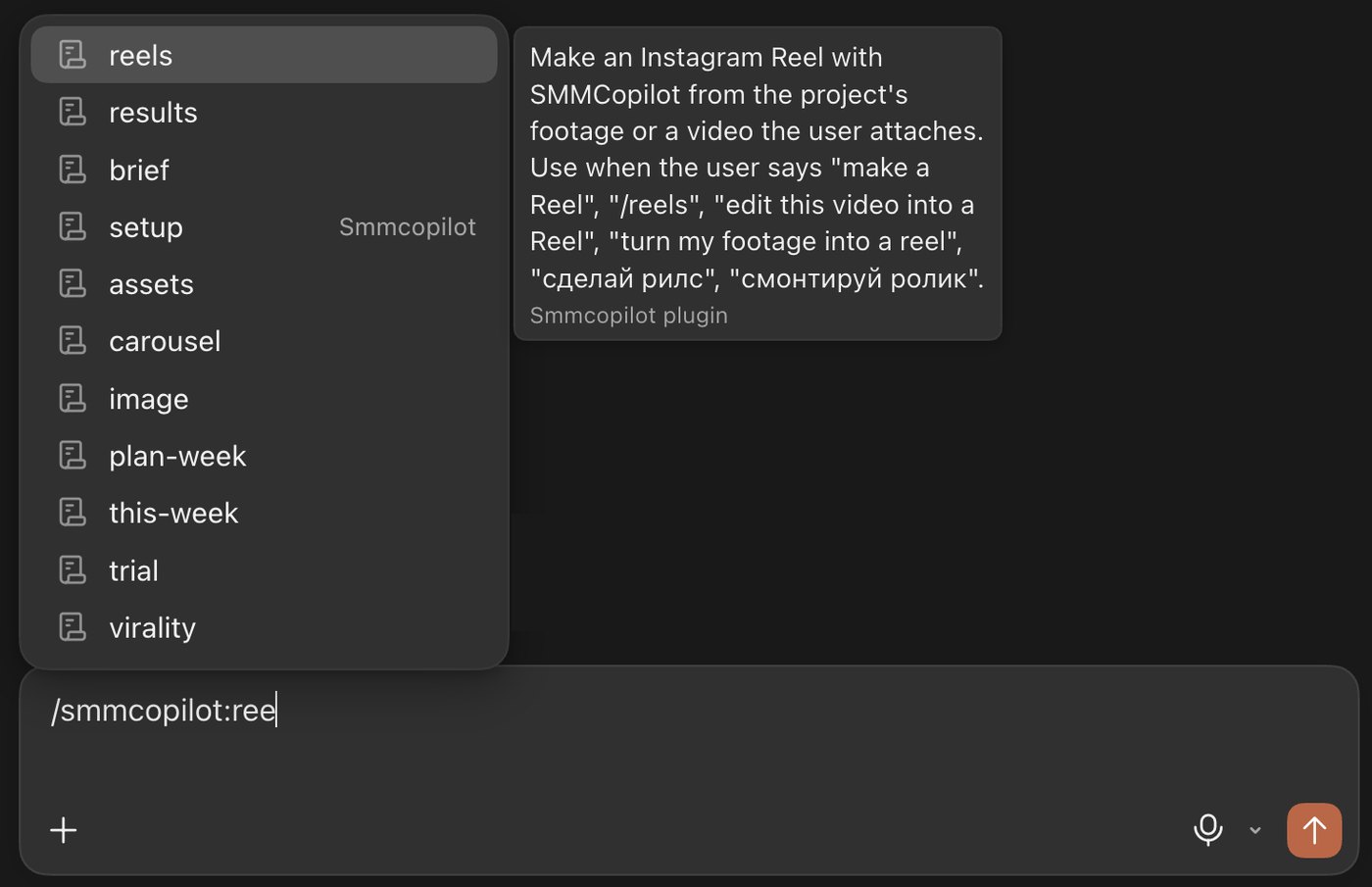
- /smmcopilot commands in Claude — from “reels” to “virality”
- 11
- /smmcopilot commands in Claude — from “reels” to “virality”
- with your SMMCopilot account; new accounts get trial credits
- 1 sign-in
- with your SMMCopilot account; new accounts get trial credits
- before every paid action: the AI names the price first
- “Yes”
- before every paid action: the AI names the price first
How it works
01
Connect once
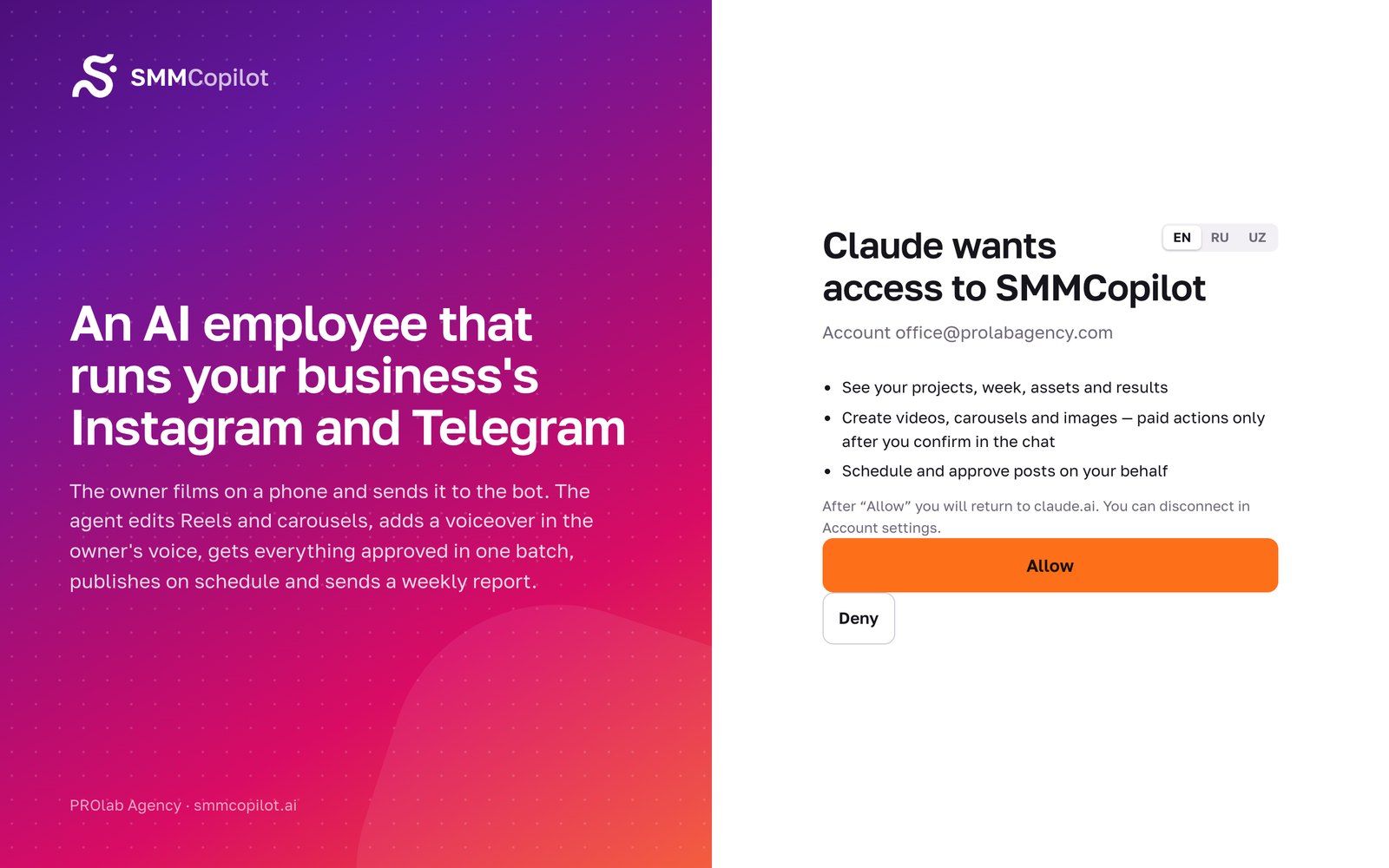
In Claude: Settings → Connectors → “Add custom connector”, URL https://app.smmcopilot.ai/api/mcp. In ChatGPT — the same under “Apps & connectors”. Our sign-in opens: log in with your email (new accounts get trial credits right away) and press “Allow”. No passwords or keys to copy anywhere.
02
Commands with “/” — or plain words
The SMMCopilot plugin for Claude adds commands: /smmcopilot:reels — a Reel from footage, :carousel — a carousel, :plan-week — the week’s plan, :this-week — what’s ready, :results — results, :virality — a Reel review, :trial — trial Reels, :image — images, :brief — a brief from your website, :assets — assets, :start — first steps. It works without commands too: just write the task.
03
In control — in your account
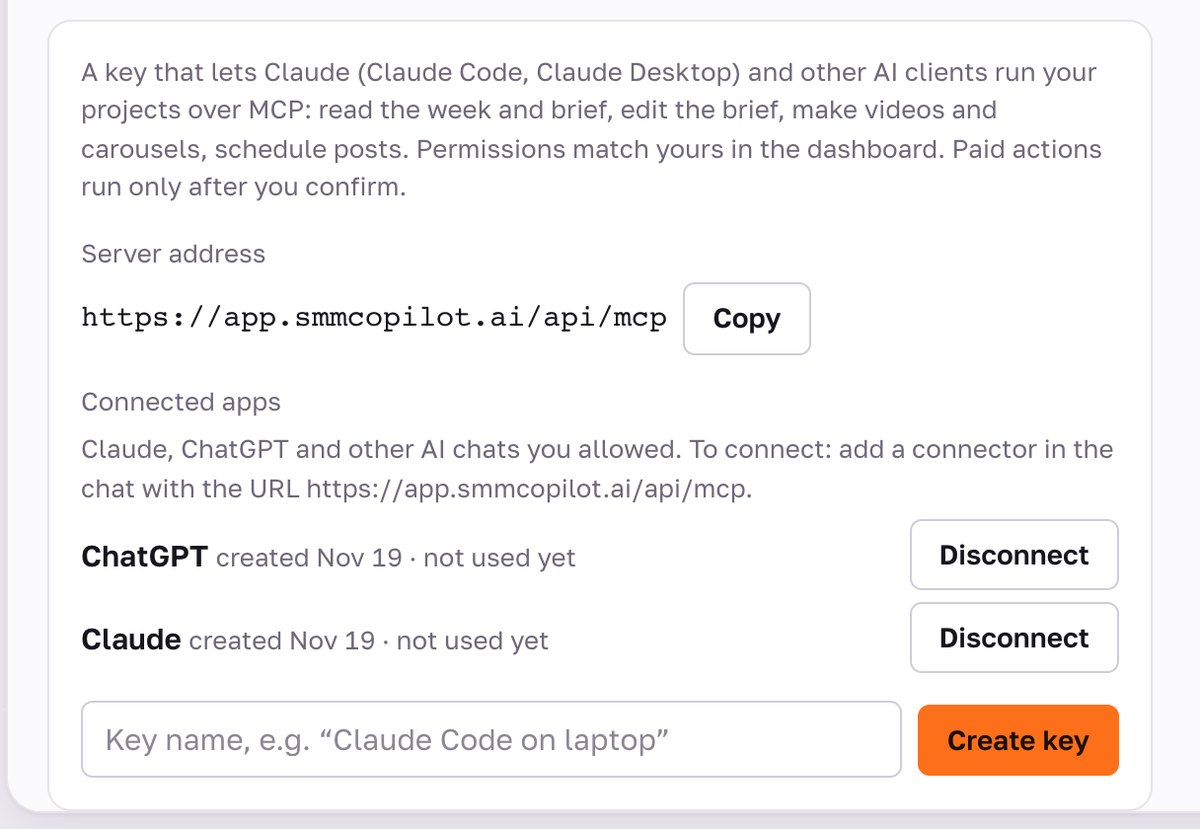
The AI sees only what you see in the dashboard, with the same permissions. Paid actions take two steps: the AI names the price, you answer “yes”. Connected chats are listed in “Account settings” — disconnect with one button. A key for Claude Code and Cursor is created there too.
Why it is built this way
Your AI, our editing
The chat stays yours — the Claude or ChatGPT you are used to. The heavy work — editing, voice-over, carousel layout, publishing — runs on SMMCopilot’s servers, and the chat gets the result: a cover, a link and the file.
Commands from real work
Each command is the scenario our own agent follows in the bot and the app: which tools to call, in what order, what to show. So “/reels” in Claude and “/reels” in Telegram do the same thing.
Money only after “yes”
Editing, images and reviews cost credits. The AI can’t spend them on its own: the tool returns the price first, and only your “yes” starts the work.
Official sign-in, no passwords in chat
The connection uses OAuth, like “Sign in with Google”: the chat gets its own token, not your password. Revoke access at any time.
The same product, not a wrapper
Projects, brief, owner’s voice, schedule and approval are shared with the dashboard, the bot and the app. What you did in the chat shows up in the dashboard, and vice versa.
And in Telegram too
The business owner writes to @SMMCopilotbot with the same commands: /reels, /carousel, /ready, /week, /results, /virality, /image, /trial. Paid actions — with a “Yes, do it” button.
For agencies
A manager runs ten projects from one chat
An agency manager connects SMMCopilot to their own Claude or ChatGPT and works with every project in the workspace: “show what’s ready across all projects”, “plan the week for Demo Coffee”, “approve the carousel and schedule it for Friday 12:00”. Permissions match the dashboard: manager, owner or view-only.
- All projects in one conversation
- If there are several, the AI asks which project you mean and remembers the choice for the rest of the conversation.
- Claude Code and Cursor
- For workflows and automations — an access key in “Account settings”, the same set of tools.
- Who did what is visible
- Actions through an AI chat are recorded in the post’s history with the author — like actions in the dashboard.
- Workspace credits
- The chat spends the credits of the project’s workspace; the limit and balance are in “Workspace settings”.
Questions
- Where does it work?
- In Claude (web, desktop and mobile apps), in ChatGPT via custom connectors, and in Claude Code, Cursor and other MCP clients. One server address: https://app.smmcopilot.ai/api/mcp.
- Do I need a paid Claude or ChatGPT?
- Whether you can add custom connectors depends on your Claude or ChatGPT plan and settings — check their connectors section. SMMCopilot charges nothing extra for connecting: the usual credits for AI work are spent.
- How do I get the /smmcopilot commands?
- The commands are the SMMCopilot plugin for Claude. We are preparing it for the directory so it installs with one button; for now we send the plugin file on request. Without the plugin the connection works too — write tasks in words.
- What can the AI do without my consent?
- Only look: projects, the week, assets, results. Anything that spends credits or changes posts takes two steps: first the price or a description of the action, then your “yes”.
- Do Anthropic or OpenAI see my files?
- The chat gets what the tools return into the conversation: texts, links, covers. The videos and photos themselves are stored and edited on SMMCopilot’s side.
- How do I disconnect?
- In the chat itself (connectors section) or in SMMCopilot: “Account settings” → “AI access” → “Connected apps” → “Disconnect”.
- And in Telegram?
- The @SMMCopilotbot bot understands the same tasks: /reels, /carousel, /ready, /shoot, /week, /results, /virality, /image, /trial — or plain text.
Nearby
Connect SMMCopilot to your AI
One sign-in — and Claude or ChatGPT start running the business’s Instagram and Telegram from your footage. Write to us — we’ll help with the first project.