
With an agency project · 5 GB per project free
Assets: everything you filmed — in one place, searchable by words
Footage piles up in the phone’s Photos and gets lost. In SMMCopilot it lives in the project: like a gallery, by month, with an AI description of every frame. Type “about prices” — the video where you said it opens at the right second. Pick three photos — ask for a carousel.
- per project free; beyond that — 10 credits per GB a month
- 5 GB
- per project free; beyond that — 10 credits per GB a month
- an AI description of every frame — automatically after upload
- ≤ 12 words
- an AI description of every frame — automatically after upload
- search by what you said and what is in frame — no model, instant
- $0
- search by what you said and what is in frame — no model, instant
- per “Highlights” Reel cut from a long video
- ~2 ¢
- per “Highlights” Reel cut from a long video

How it works
01
A gallery like Photos
Upload photos and videos from the phone or film with the app camera — everything lands in a grid by month. A pinch changes the density: 2, 3, 5 or 8 tiles per row. At the bottom — filters: video, photo, screenshots, people, products, no description. The “Folders” view groups materials into collections. Video plays as a light copy — fast even on a weak connection.
02
Search by what you said and what is in frame
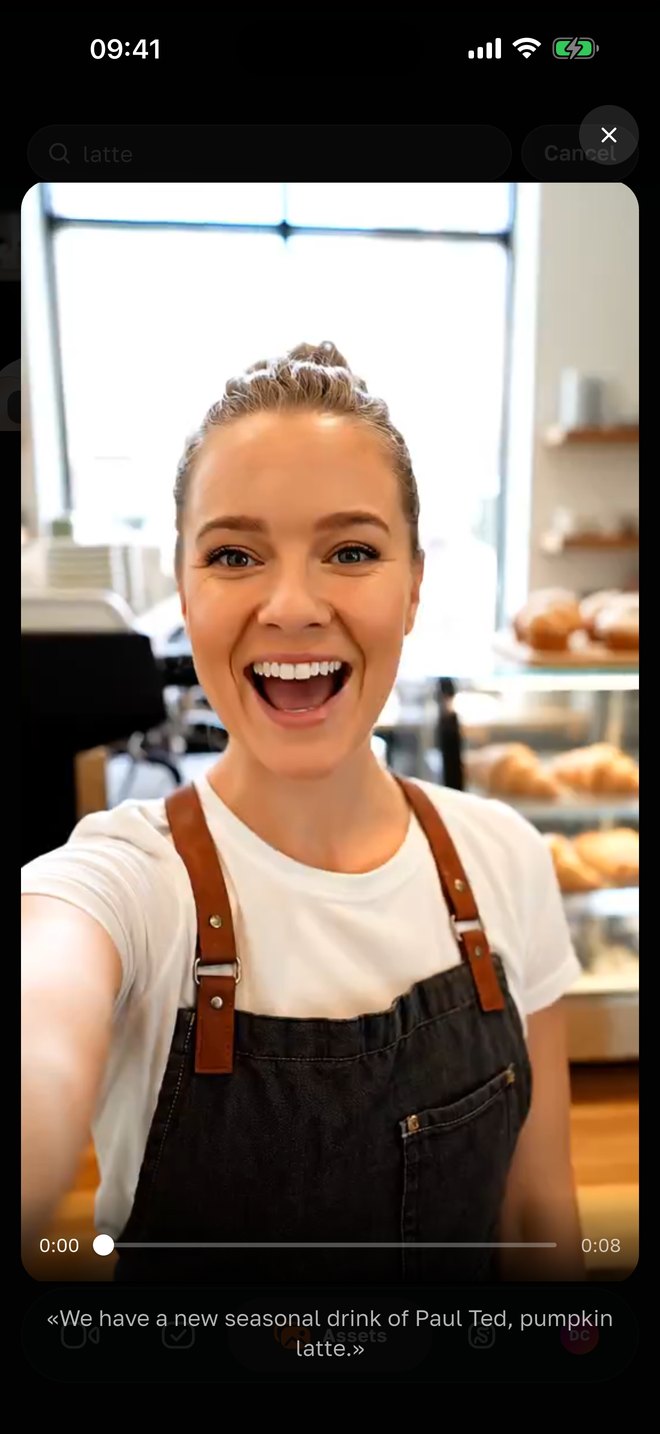
Speech in every video is transcribed, every frame is described by the AI. So search understands both “what you said” and “what is in the frame”: “about prices”, “team”, “phone”. The found video opens at the second where it was said, with the phrase or frame description below. No model — instant and free.
03
Pick — and give the AI a task
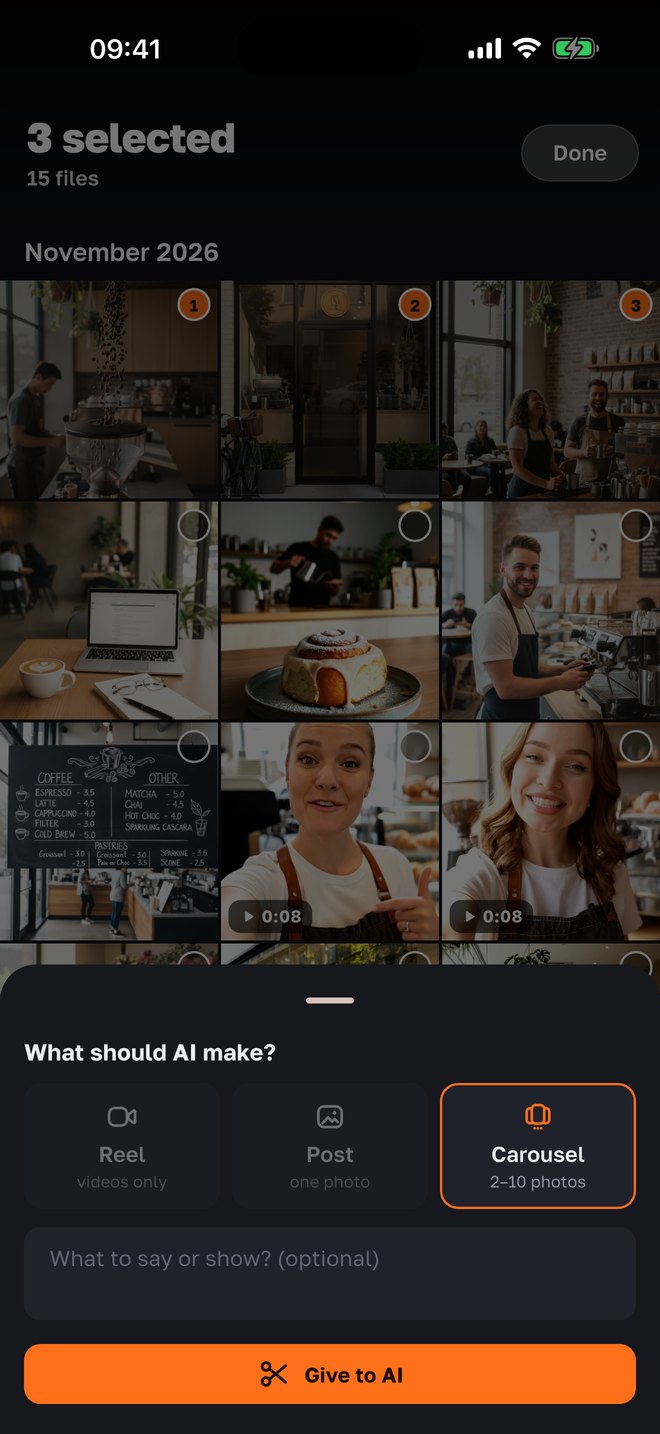
“Select” → mark the materials → “Create”: a post from one photo, a carousel from 2–10, a Reel from videos. Write a wish in words — “make a carousel about the new menu” — and the post goes into production, then to you for approval. The same rules the agency has in the panel.
04
“Highlights” from a long video
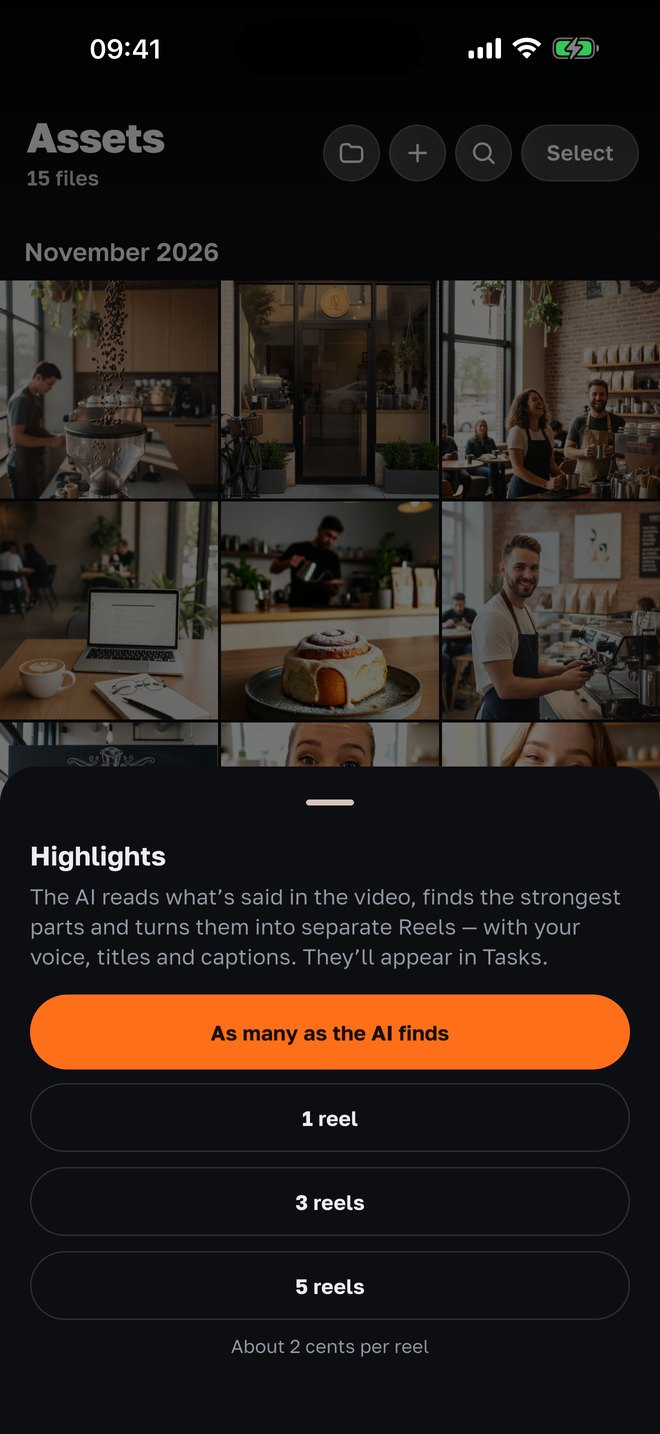
Recorded 10 minutes of talking to the camera? The AI reads the transcript, finds the strong parts of 12–45 seconds and cuts a separate Reel from each — with your voice, titles and captions. Up to five Reels at a time, about 2 cents each. The finished ones appear in “Tasks”.
Why it is built this way
Footage is an asset, not clutter in the gallery
Owners film a lot but find little later. A description and a transcript turn every file into something you can find and reuse a month later.
The AI writes the description, you can edit it
Right after upload a vision model writes a short caption and tags: people, process, product, place, screen. Tap the caption — fix it in your words; the AI no longer overwrites your edit.
Search without a model
You search often and want it fast, so search runs over the ready transcripts and descriptions — by word stems, in a fraction of a second, without spending credits.
Light copies for viewing
When a video is uploaded, a viewing copy is made (short side 540): scrolling and watching in the app is fast, the original stays untouched for editing.
An honest storage price
5 GB per project free — hundreds of photos and dozens of videos. Beyond that — 10 credits per GB a month, prorated daily. The server cleans up service files itself.
The same project the agency sees
What you see in the app, the agency sees in the panel: the same materials, the same posts. No need to forward files in a messenger.
Server features
What else assets can do in a project
Assets live in the agency project, so server tools are attached to them: captions in languages the phone doesn’t know, cuts from long recordings, posts built from your selection — all in the same “Tasks” and approval.
- Captions in uz · ky · kk
- The “Captions” button on any video: the server recognizes speech (Uzbek, Kyrgyz, Kazakh, Russian, English) and builds a Reel with the original sound and captions, about 1 cent.
- A transcript of every video
- Speech is transcribed on upload with word timestamps — that is where second-accurate search and “Highlights” come from.
- A description for the director
- From the frame descriptions the AI picks materials for Reels and posts: “0:04 barista pouring milk”, “blank screen — skip”.
- Shared with the agency panel
- Materials, posts and tasks are the same across the app, the bot and the panel; upload from wherever you are.
Questions
- Is it free?
- Storage — 5 GB per project free, then 10 credits per GB a month. An AI frame description — about half a cent per file from project credits; search — free. Assets are available in a project run by an agency through SMMCopilot.
- How does search work?
- Over the speech transcript of every video and the frame descriptions: word stems are matched, stop words are dropped. The result is a file, a second and a phrase; the video opens at the found moment.
- What are “Highlights”?
- The AI reads the transcript of a long video, picks up to five strong parts of 12–45 seconds and cuts a separate “talking to camera” Reel from each — only from your phrases, with titles and captions. About 2 cents per Reel.
- Can I fix a description?
- Yes — tap the caption under a photo or video in the viewer and write it in your own words. The AI respects your edit and doesn’t rewrite it.
- Who sees my materials?
- You and the agency team running the project. For descriptions and editing, files are processed by AI services under a data-processing agreement; nothing is published without your approval.
- What about big files?
- Uploads from the app — up to 200 MB per file; iPhone HEIC/HEVC are accepted. A light copy is used for viewing, the original is stored in full.
- Is there an Android version?
- Not yet — iPhone first. Android is next.
Nearby in the app
Let the footage work instead of sitting there
Connect your project through an agency on SMMCopilot — and everything you filmed becomes materials with search, descriptions and ready videos.