
Free · no account · on your phone
Frame coach: the camera tells you about light, distance and pose
Filming yourself is hard not because of the tech, but because nobody says “step to the window” or “raise the phone”. Here the camera says it: one hint before you record, a pose outline right over you, and a quick check of every take while you are still on the spot.
- frame coach, poses and take check — part of the free camera
- $0
- frame coach, poses and take check — part of the free camera
- hint at a time — the most important one, not a wall of warnings
- 1
- hint at a time — the most important one, not a wall of warnings
- poses: standing, sitting, with a product, by the face — an outline at your scale
- 12
- poses: standing, sitting, with a product, by the face — an outline at your scale
- take checks after “stop”: sound, light, face, line
- 10
- take checks after “stop”: sound, light, face, line
How it works
01
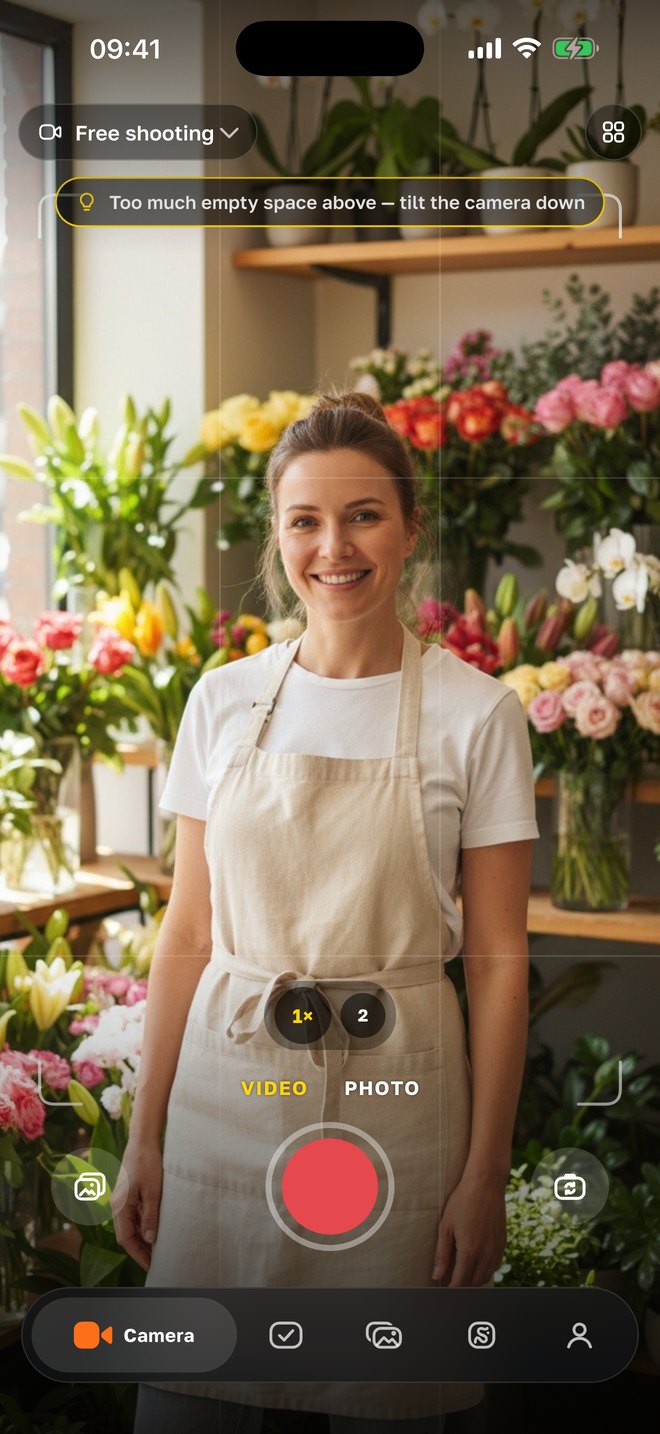
Before recording — one hint
Once a second the phone looks at the frame and says the most important thing: too dark — step to the window; light behind you — turn to face it; face cut by the edge; come closer or step back; shooting from below — raise the phone to eye level; too much empty space above the head — lower the camera. A hint shows only if it holds for two measurements in a row — nothing flickers.
02
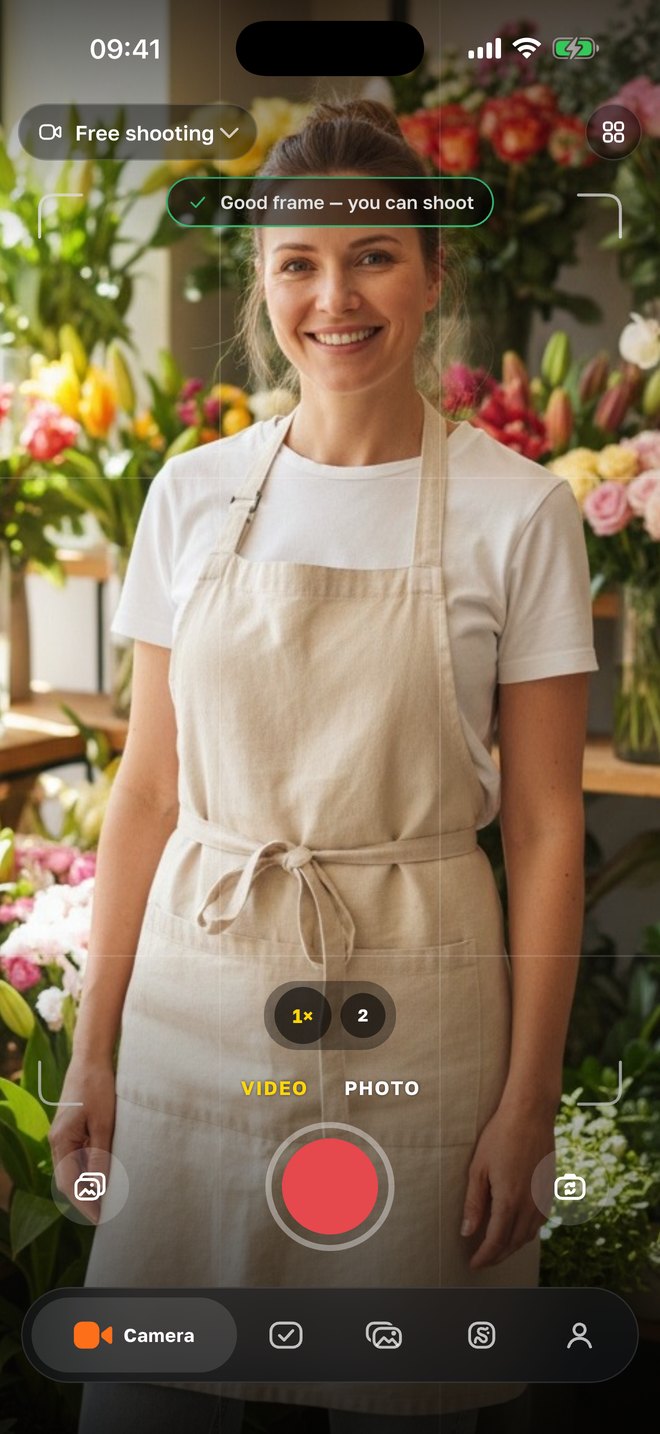
“Good frame — you can shoot”
Fixed it — the coach confirms, and you can press record. While recording, “good frame” doesn’t flash, but the serious things — light behind you, face out of frame — stay visible. The rule-of-thirds grid, Reels safe zones and the horizon level are in the camera settings.
03
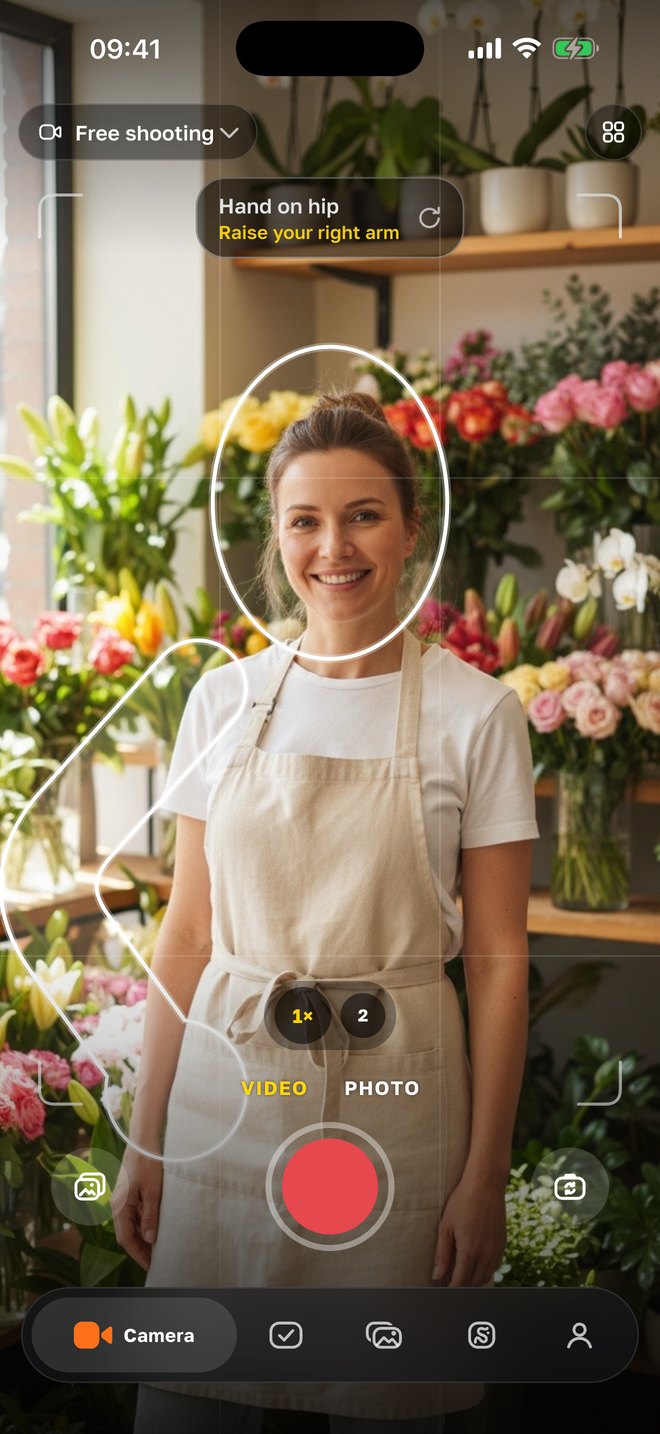
Poses — right over you
Turn on “Poses”: the phone finds the shoulders, elbows, wrists, hips and knees, understands whether you are standing, sitting or leaning, and draws a fitting pose as an outline over your body — from your shoulders, at your scale. Hand on hip, arms crossed, ✌ by the face, product at the chest, hands on knees… Match the outline — it turns green. Not your thing — “another pose”.
04
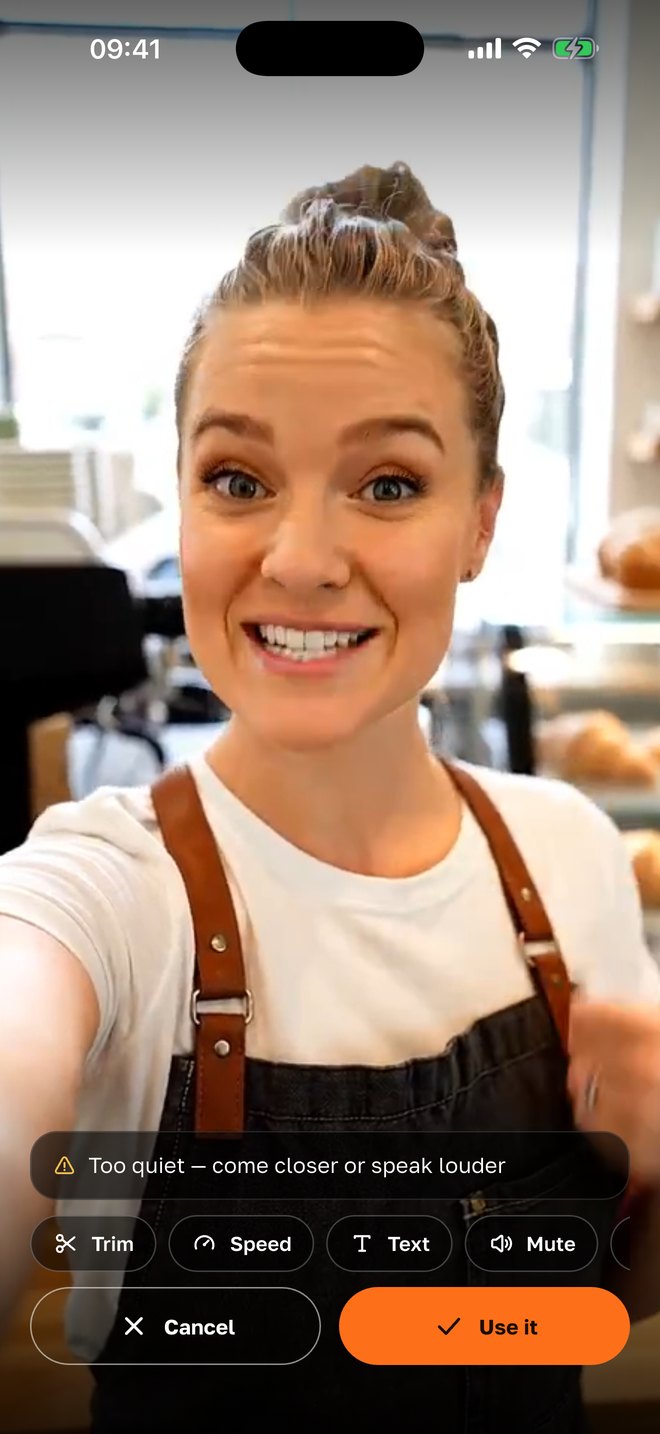
After “stop” — the take check
While you are still standing there, the phone checks the recording in a second: no sound, too quiet, distorted, noisy around; too dark, overexposed, light behind you; face not visible or cut off; the teleprompter line not finished. Thresholds have slack — better to stay silent than to scare you for nothing. “The take looks good” means you can use it.
Why it is built this way
Problems show up on the spot, not in the evening
The most common waste in phone filming is a take that turns out dark or quiet when the light and the mood are gone. The check after “stop” catches it right away.
One hint, not a wall
Show five warnings at once and nobody reads any. The coach picks the most important one and stays silent when there is nothing to say.
A pose at your scale
A “stand like this” picture in the corner doesn’t help — you don’t know where to put your hands. The outline is built from your shoulders and hips, so you see how much to raise the elbow.
Everything on the phone
The frame, joints and sound are analyzed on the iPhone itself — nothing goes to a server. That is why it works without internet and without an account.
Better silent than scary
Thresholds have slack: the coach doesn’t nag about light shadows and doesn’t demand studio light. It steps in where the viewer would definitely notice.
Next to the teleprompter and shot lists
The coach works inside the same camera as shot lists, the teleprompter, captions and pause trimming: film and finish the video without leaving the app.
With your agency
The AI suggests a pose for your scene
If an agency runs your project through SMMCopilot, the pose bar gets an advice button: one camera frame goes to the AI, which picks a pose from the app’s set and writes a short tip for your scene — “point at the display on the left”. The frame isn’t stored; ask again on the next shot and it is computed anew.
- Advice for the scene
- The AI sees what is around — a display, a chair, a product in hand — and picks a pose for that, not from a generic list.
- One sentence
- A pose plus one tip in the app language: where to look, what to show, where to stand.
- Nothing stored
- The frame is used for one request and not kept; charged from project credits, under a cent.
- Weekly tasks
- The “Tasks” tab shows what to film for the week’s posts; the coach and take check work on every shot of the list.
Questions
- Is it free?
- Yes. The frame coach, poses and take check are part of the free SMMCopilot camera — no account, no subscription. Only the AI pose advice inside an agency project is paid — under a cent from credits.
- What exactly is checked in a take?
- Sound: not recorded, too quiet, distorted, noisy. Light: too dark, overexposed, backlit. Frame: face not visible, face cut off. And the teleprompter line — whether it was finished (if less than 70 % of the words were heard).
- Which hints does the coach give before filming?
- Too dark, light behind you, face cut by the edge, come closer, step back, shooting from below — raise the phone, too much space above the head, head at the very edge, move to the center, no face in frame — and “good frame”.
- How do poses work?
- The phone finds the person’s joints in the frame and draws a pose as an outline over them — at their scale. Match it — it turns green. Poses are chosen for the scene and for whether you stand or sit; if you lean, it asks you to straighten up.
- Do I need internet?
- No: the frame, joints and sound are analyzed on the iPhone itself. Internet is only needed for the AI pose advice in an agency project.
- Can I turn the hints off?
- Yes — the frame coach switches off in the camera settings; poses are a separate button you turn on only when you need them.
- Is there an Android version?
- Not yet — iPhone first. Android is next.
Nearby in the app
Film a take you won’t have to redo
A camera with a frame coach, poses and take check — free, no account. With an agency — editing, approval and publishing done for you.