
Free · no account · on your phone
Remove pauses, noise and the extra bits — right on the phone
A take is rarely perfect the first time: pauses, “um”s, the coffee machine humming, a few spare seconds at the start. All of that is fixed on the review screen while you are still holding the phone: one tap — and the video is tighter, cleaner and ready to post.
- every edit is part of the free camera, no account
- $0
- every edit is part of the free camera, no account
- pauses longer than that are cut; the normal rhythm of speech stays
- 0.45 s
- pauses longer than that are cut; the normal rhythm of speech stays
- hum below that is cut; noise is measured in the pauses between phrases
- 80 Hz
- hum below that is cut; noise is measured in the pauses between phrases
- edits on the review screen: pauses, noise, trim, speed, label, sound, background, captions
- 8
- edits on the review screen: pauses, noise, trim, speed, label, sound, background, captions
How it works
01
After “stop” — the review screen
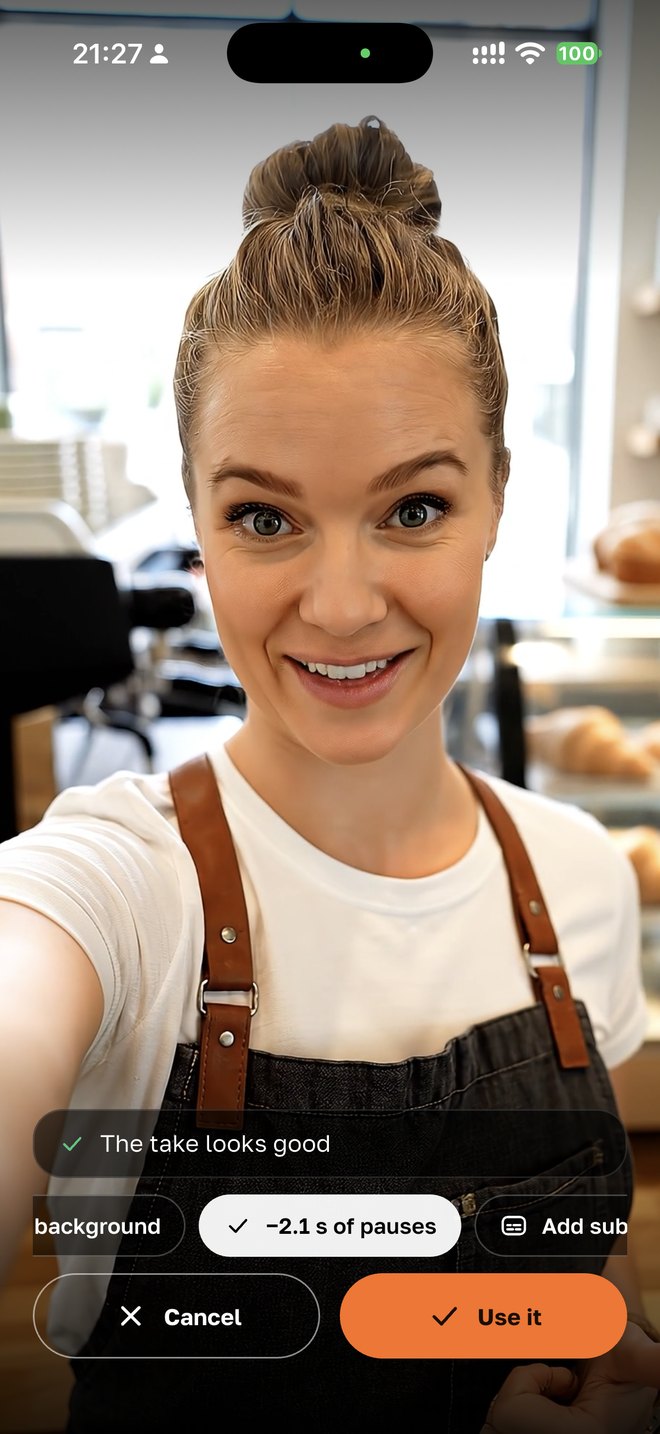
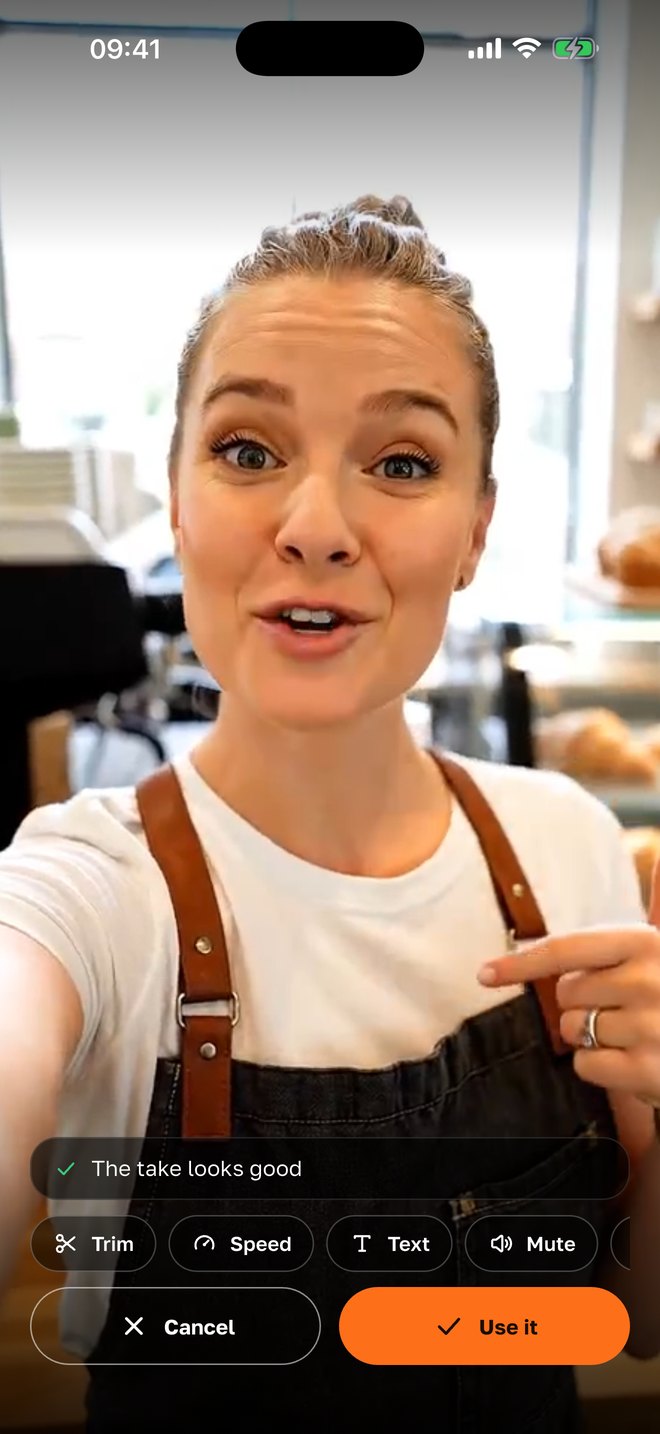
Every take opens on one screen: the video loops, the check note sits on top if there is one, and the row of edits below. Any video from the phone’s gallery or from “Shot in the app” opens here too — an old recording can be finished as well.
02
“Cut pauses” — and the “um”s too
The phone recognizes speech on the device and keeps only the words: pauses longer than 0.45 s and filler words — um, uh, er, hmm — are cut, with a 0.12 s margin around each phrase so no sound is clipped. Below — how many seconds were removed. If there are no pauses, it says so: “the take is already tight”. English and Russian.
03
“Remove noise” — without a lavalier
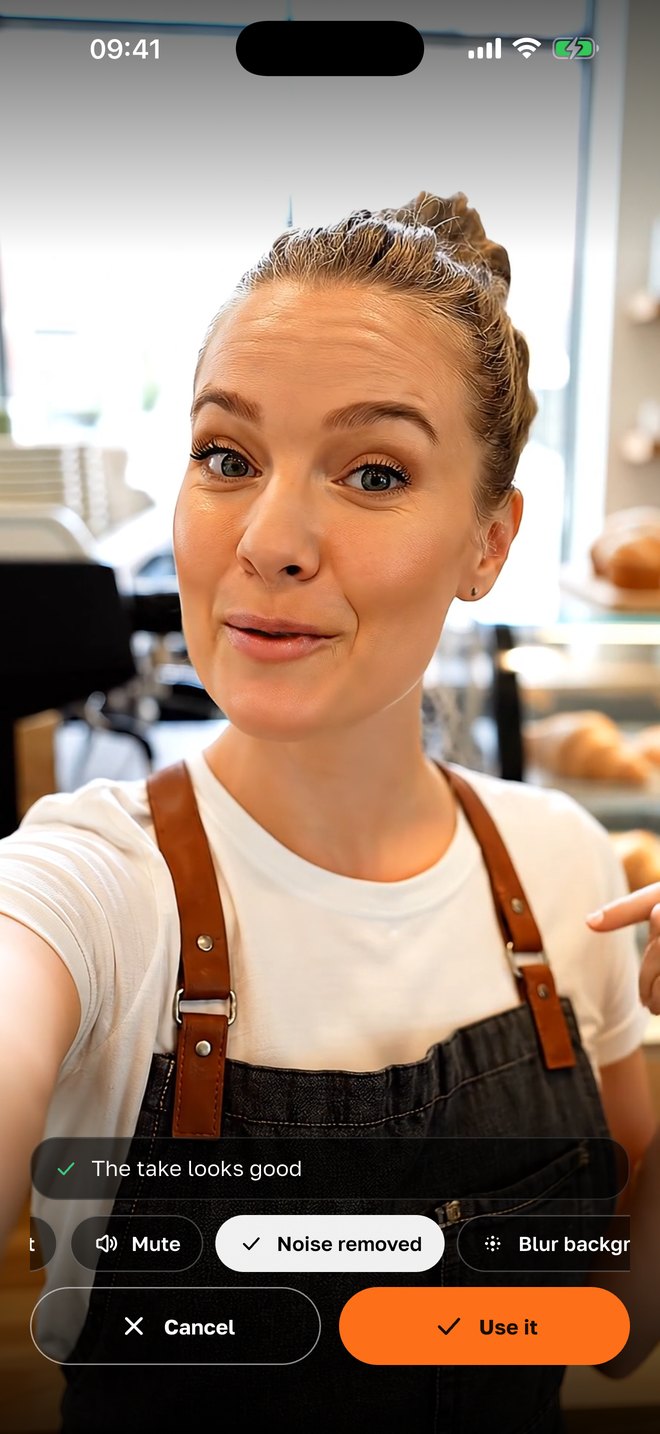
Noise reduction runs on the phone, without a server and without a neural network: from the quietest parts of the recording — the pauses between phrases — the phone builds a “portrait” of the noise and subtracts it from the whole recording; hum below 80 Hz is cut. The voice stays. If there is almost no noise, the app honestly says there is nothing to remove.
04
Background, speed, label, format
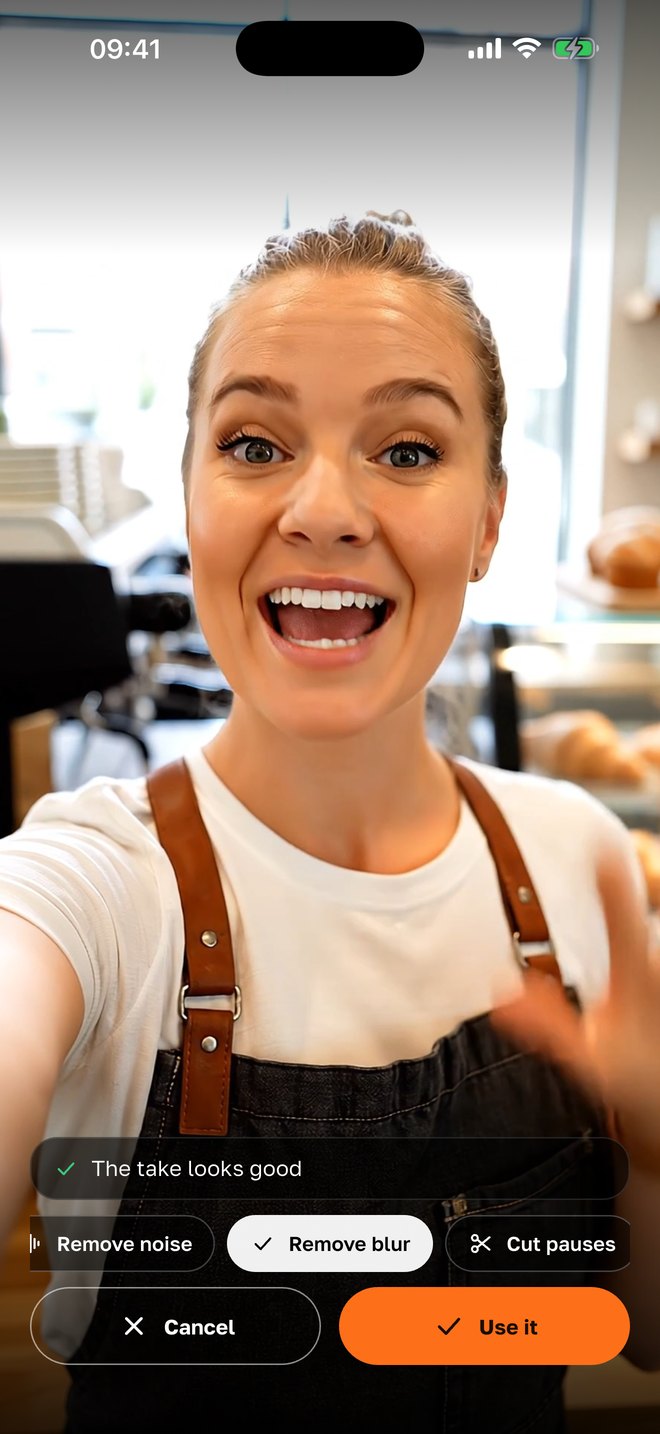
“Blur background” — the person mask is computed on the phone. “Speed” — half or double. “Text” — a label on the video. “Trim” — the start and the end. “Mute” — for videos with music. Filters — warm, cool, vivid, b/w — and the format 9:16, 4:5, 1:1 or 16:9 are chosen before recording, right in the camera.
Why it is built this way
Edit where you filmed
Editing apps need an export, an import and half an hour. Here the edits live on the screen that opens after every take anyway — so they get done instead of postponed.
Pauses are the main enemy of watch time
A viewer in the feed decides in a second. Two spare pauses at the start — and they scroll on. Cutting pauses gives the video the pace that usually only comes after editing.
Speech stays natural
We cut only where the person is silent for longer than 0.45 s and keep a margin around the words. The normal rhythm with short pauses is untouched — the voice sounds natural, without a “choppy” cut.
Noise goes, the voice stays
Neural noise suppressors sometimes “eat” consonants. Spectral subtraction based on the pauses is gentler: it removes the steady background — ventilation, street, coffee machine — and keeps the timbre.
Everything on the phone
Recognition, noise and the background mask are computed on the iPhone — nothing goes to a server. Works without internet and without an account; the recording never leaves the phone.
Honest when there is nothing to do
If there are no pauses or almost no noise, the app doesn’t pretend it worked — it says so. Better to stay silent than to spoil a good take.
With your agency
Next — editing, voice-over and publishing done for you
If an agency runs your project through SMMCopilot, the footage goes to the project and the AI builds Reels from it: a scripted edit, voice-over, captions, titles, music — then approval in the bot and scheduled publishing. The edits on the phone stay for quick “film — post” videos.
- A clean voice on upload
- Voice noise reduction can be switched on in the camera — then the server finishes cleaning the recording after upload: a hum filter, tracking noise suppression, a cut above 12 kHz; the original is kept.
- “Talking to camera” and tight cuts
- From a long recording the AI picks the best phrases, cuts pauses by word timestamps and adds titles — a video from speech without an editor.
- Captions in three more languages
- Uzbek, Kyrgyz and Kazakh are recognized by the server — where the phone can’t.
- Scheduled publishing
- The finished video is approved in Telegram or the app and goes out on Instagram and Telegram at the chosen time.
Questions
- Is it free?
- Yes. All edits on the review screen — pauses, noise, trim, speed, label, sound, background blur, captions — are part of the free SMMCopilot camera, no account, no subscription.
- How does the phone find the pauses?
- It recognizes speech on the device and knows the time of every word. Words and gaps up to 0.45 s between them stay; longer gaps are cut, as are filler words. A 0.12 s margin is kept around each phrase.
- Which languages does “Cut pauses” support?
- English and Russian — the languages the iPhone recognizes without internet. Noise reduction, trim, speed, background and label work in any language.
- Will noise reduction ruin the voice?
- No: it removes the steady background heard in the pauses — ventilation, street, coffee machine. The voice and its timbre stay. If there is almost no noise, the app does nothing and says so.
- Can I undo an edit?
- The original take stays in Photos and in “Shot in the app”; edits apply to a copy. Background blur comes off with “Remove blur”, speed goes back to normal.
- Do I need internet?
- No — everything is computed on the iPhone. Internet is only needed for the server features with an agency.
- Is there an Android version?
- Not yet — iPhone first. Android is next.
Nearby in the app
Film a take and finish it in a minute
Pauses, noise, trim, background — right on the phone, free, no account. With an agency — full editing, voice-over and publishing done for you.